
Ominaisuudet
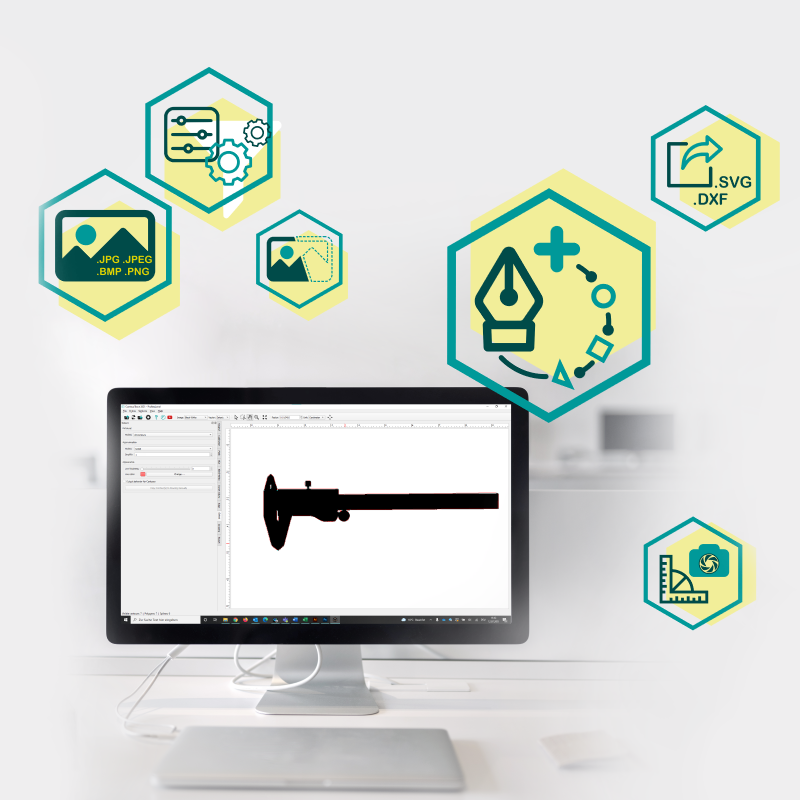
ContourTrace.
Seuraavan sukupolven Vectorizer.
Helpoin tapa poimia, säätää ja viedä ääriviivat kuvista.
Lue lisää ja vakuuta itsesi ContourTracen kattavista toiminnoista.
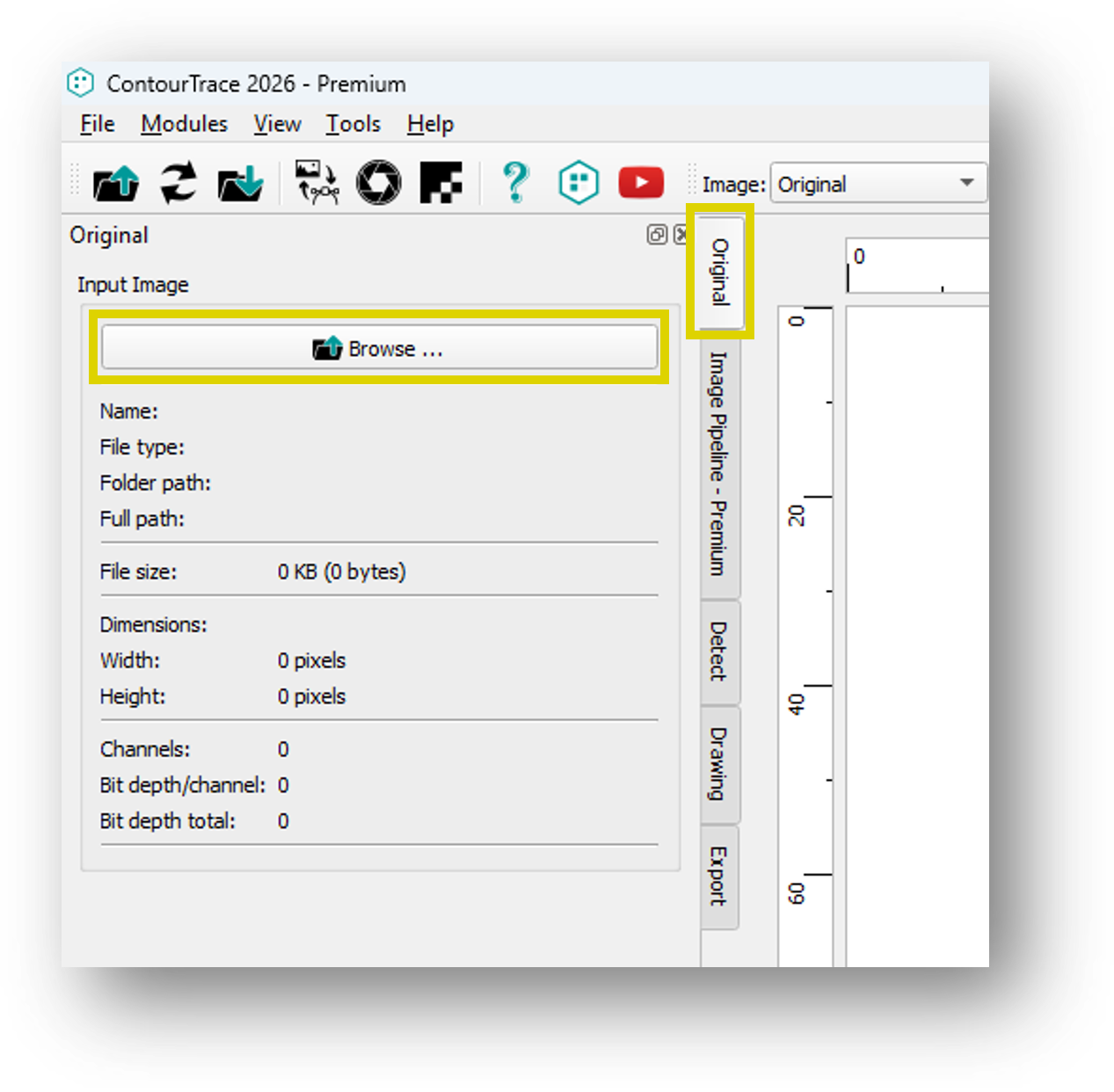
Yhden kuvan syöttöoperaattori
Yhden kuvan syöttöoperaattori mahdollistaa tavallisten kuvatiedostojen tuomisen ContourTraceen rasterigrafiikkana jatkokäsittelyä ja ääriviivojen louhintaa varten. Tuetut tiedostomuodot: .jpg, .jpeg, .bmp, .png.
Kuvaputkisto
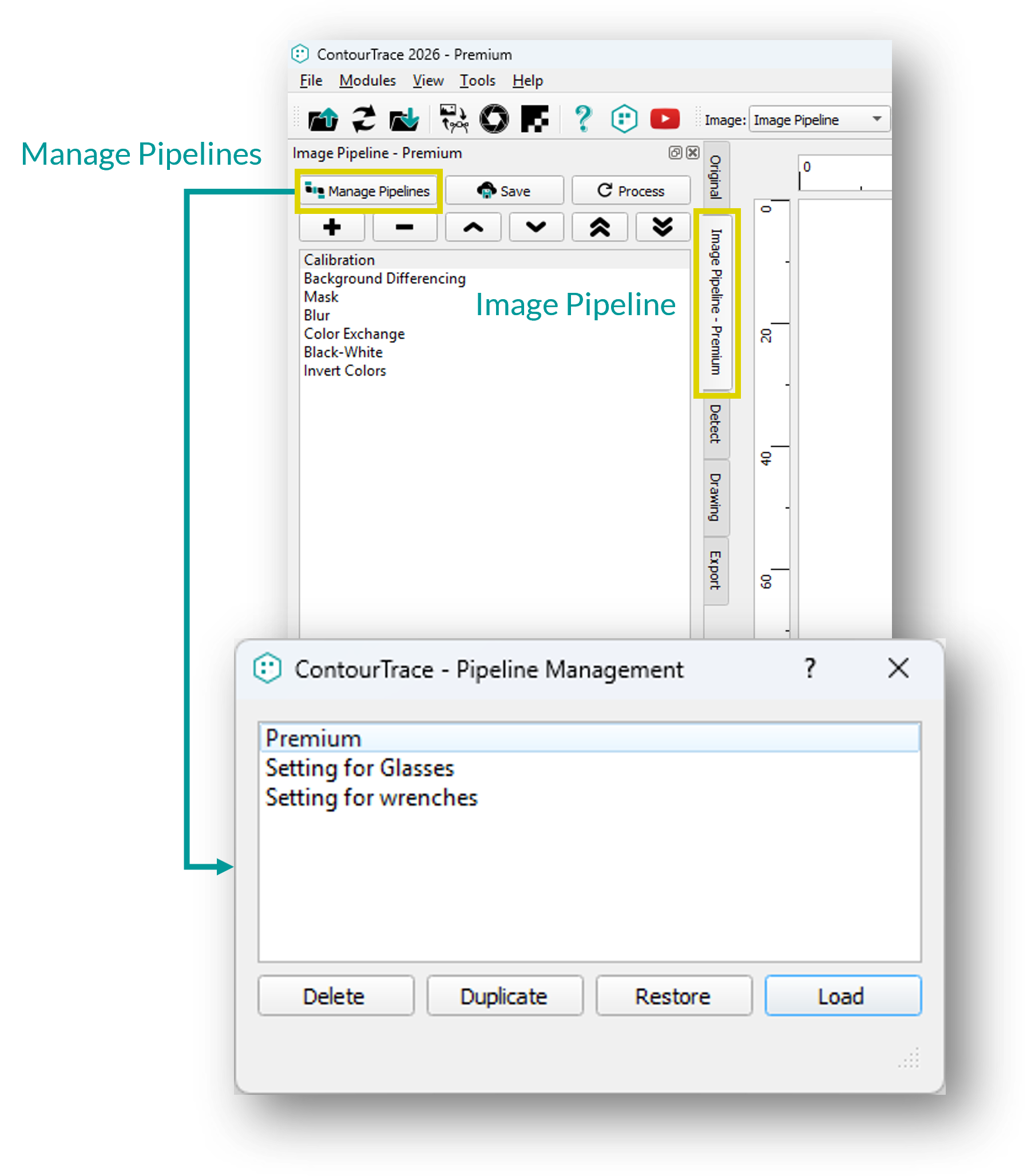
Image Pipeline mahdollistaa rasterioperaattoreiden organisoinnin, konfiguroinnin ja hallinnan määritellyssä käsittelyjärjestyksessä, mikä antaa käyttäjille paremman hallinnan kuvankäsittelyyn ennen vektoridataksi muuntamista.
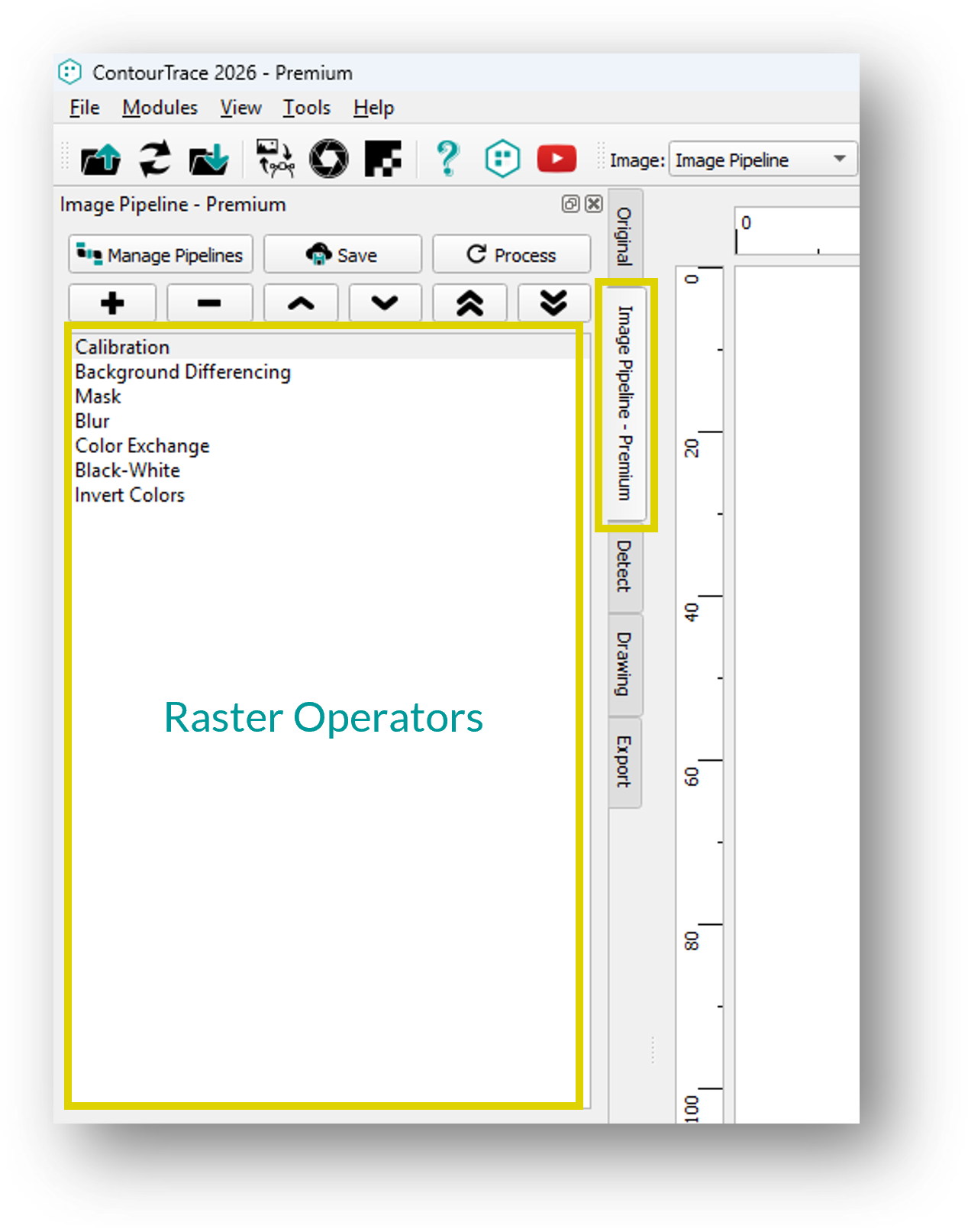
Rasterioperaattorit
Rasterioperaattorit käsittelevät syöttökuvan (rasterigrafiikan) muokkausta ja tarjoavat useita toimintoja, joilla voidaan parantaa tai mukauttaa seuraavaa vektorimuunnosprosessia.
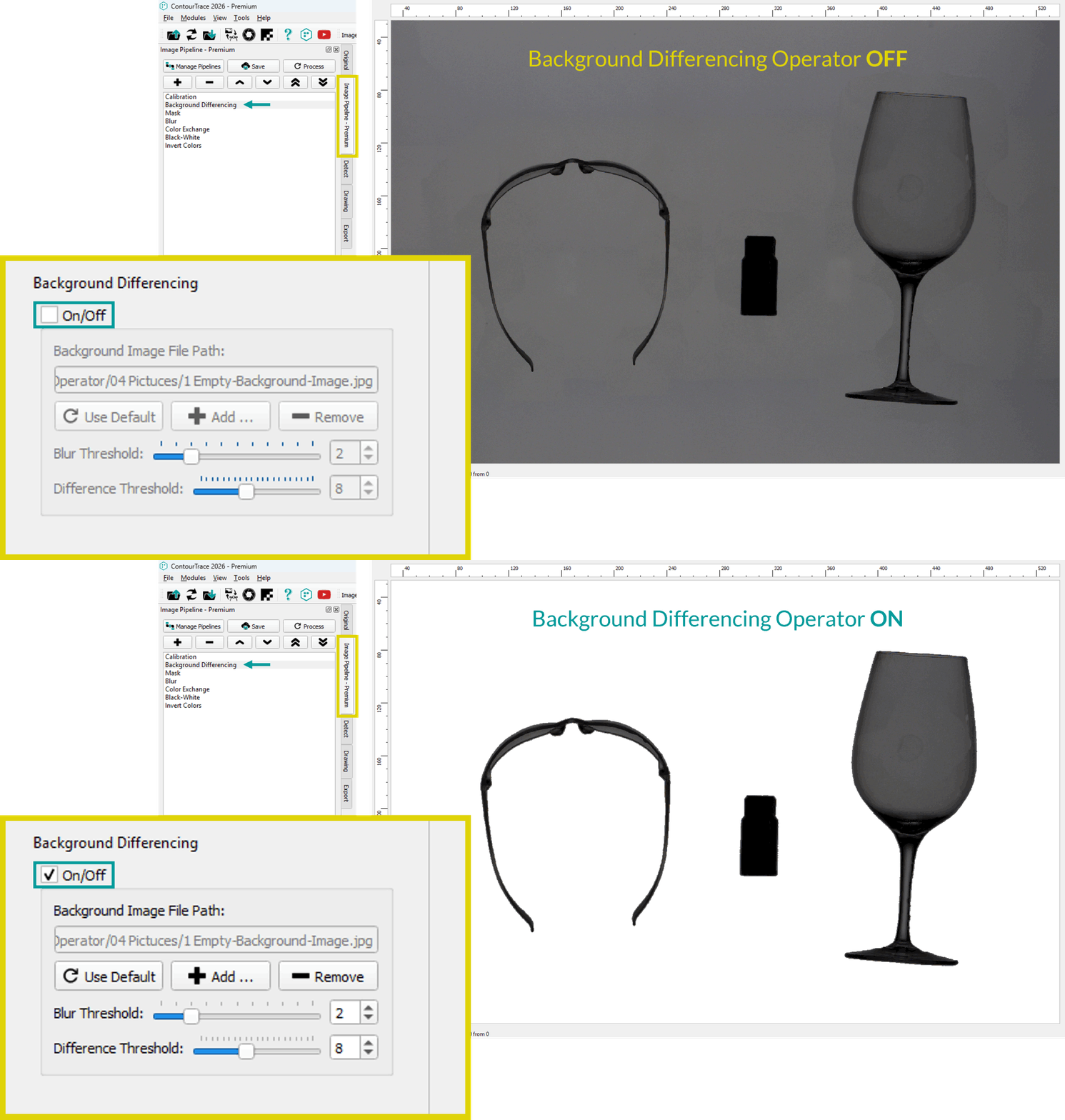
Taustan erotusoperaattori
Taustan erotusoperaattori on suunniteltu parantamaan reunojen havaitsemista skannattaessa läpinäkyviä tai voimakkaasti heijastavia kohteita, kuten lasia, muovia tai kromattuja komponentteja.
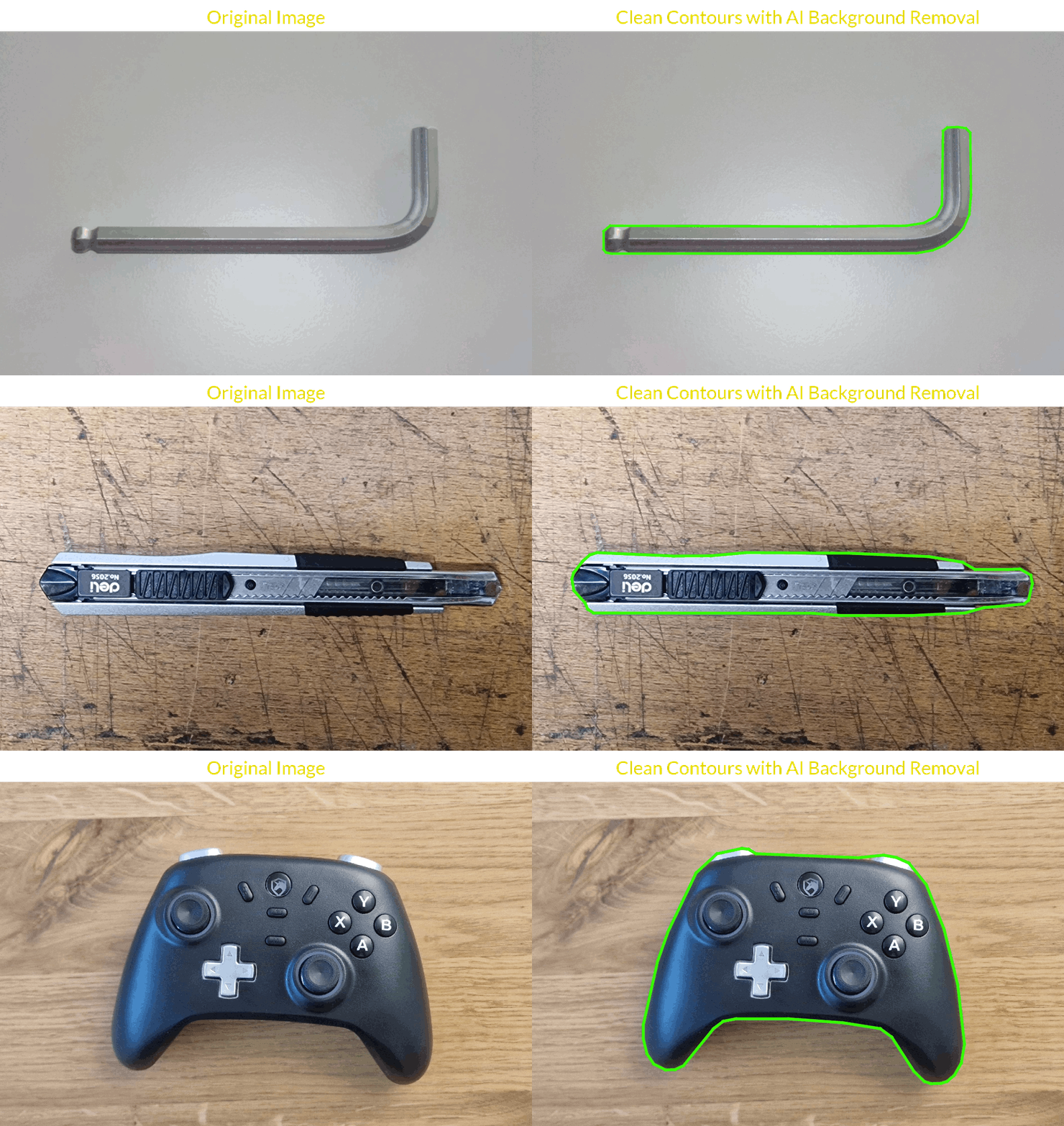
AI Taustan poisto operaattori
AI Background Removal Operator käyttää neuroverkkoa havaitsemaan ja erottamaan etualan kohteen automaattisesti taustasta. Se vähentää varjoja, häikäisyä ja taustakohinaa ja parantaa kuvan laatua ääriviivojen erottamista varten.
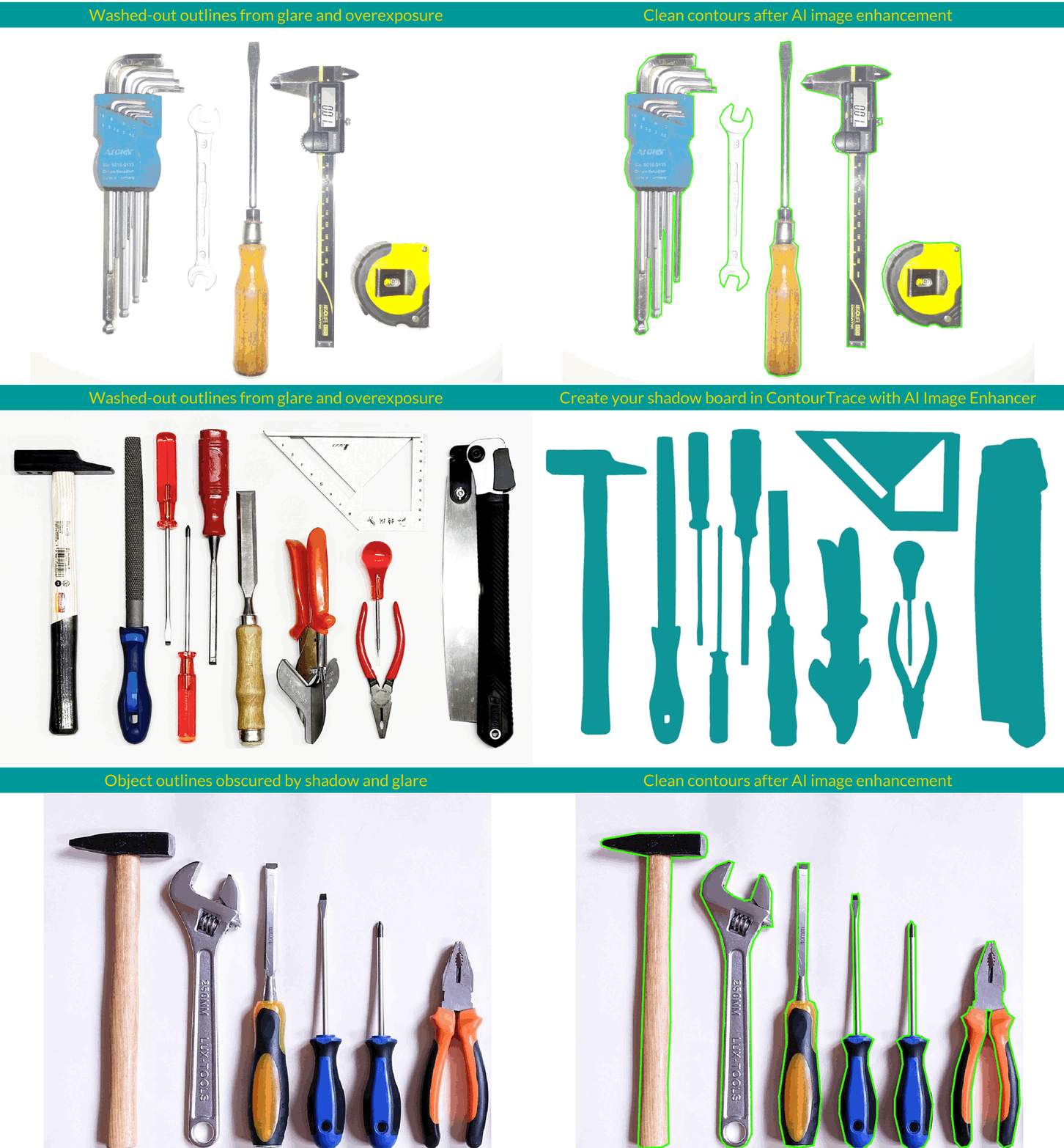
Tekoälyn kuvanparannusohjelma - Google Gemini Operator
Tekoälyoperaattori, joka on samanlainen kuin AI Background Removal Operator, mutta se vaatii Googlen Gemini API -avaimen ja aiheuttaa sukupolvikohtaisia kustannuksia mallista riippuen: noin 0,10 USD Gemini 3.1 Flash Image Preview -ohjelmassa ja 0,15 USD Gemini 3 Pro Image -ohjelmassa. Toisin kuin ilmainen AI Background Removal Operator, se parantaa kuvia kehotuksen perusteella, poistaa häikäisyä ja varjoja, tasoittaa reunoja ja parantaa ääriviivojen erottelua jopa heikkolaatuisista tai ongelmallisista kuvista.
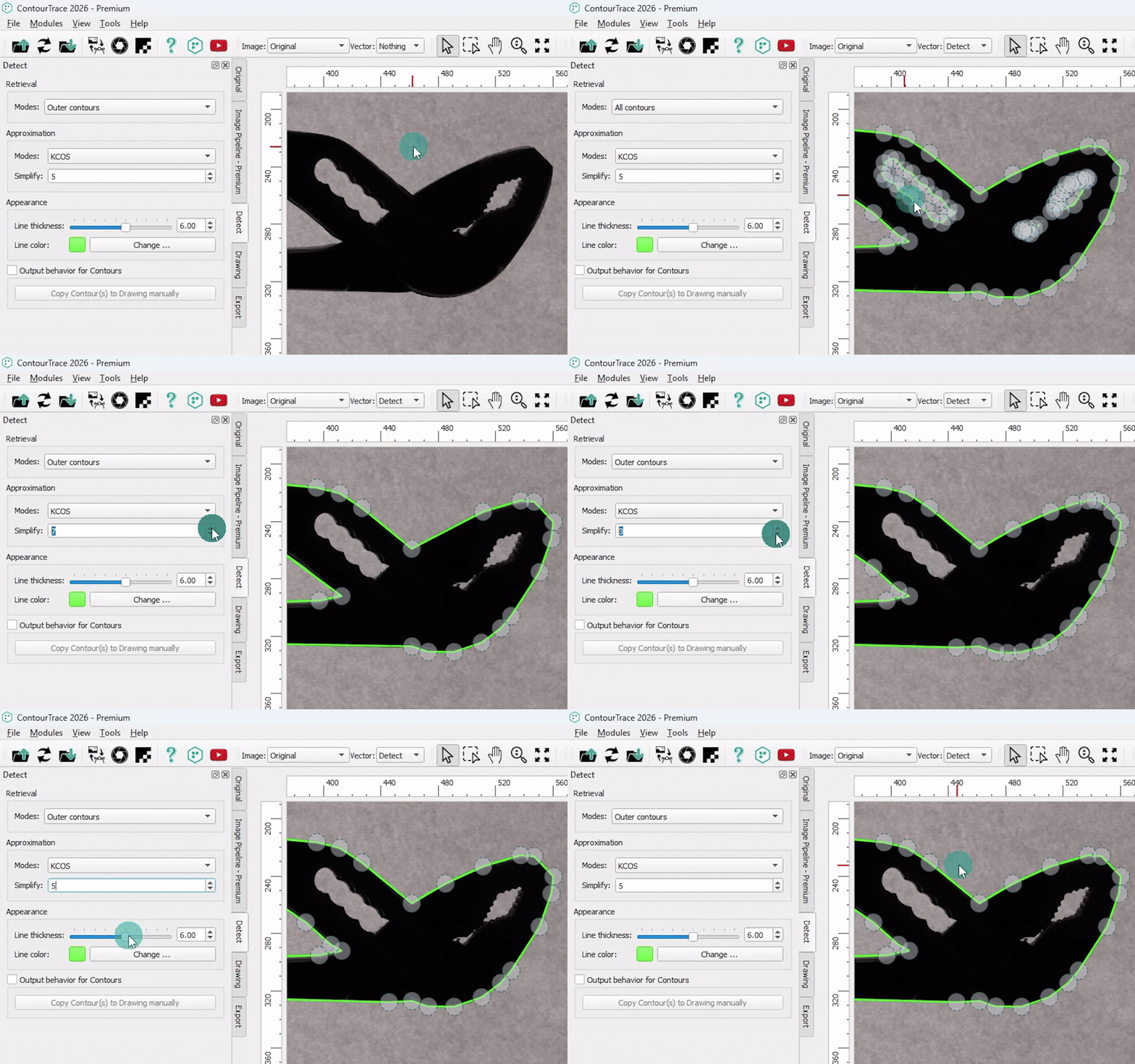
Havaitse operaattori
Tunnistusoperaattori on muunnosoperaattori, joka muuntaa rasterikuvat vektorigrafiikaksi tunnistamalla ääriviivat. Valitusta tilasta riippuen se voi poimia joko kaikki ääriviivat tai vain uloimman ääriviivan.
Vektorioperaattorit
Vektorioperaattorit muokkaavat ja tarkentavat luotua vektorigrafiikkaa ääriviivojen tunnistuksen jälkeen. Ne tarjoavat erilaisia työkaluja ääriviivojen säätämiseen, optimointiin ja mukauttamiseen sovellus- ja vientivaatimusten mukaisiksi.
Piirustusoperaattori
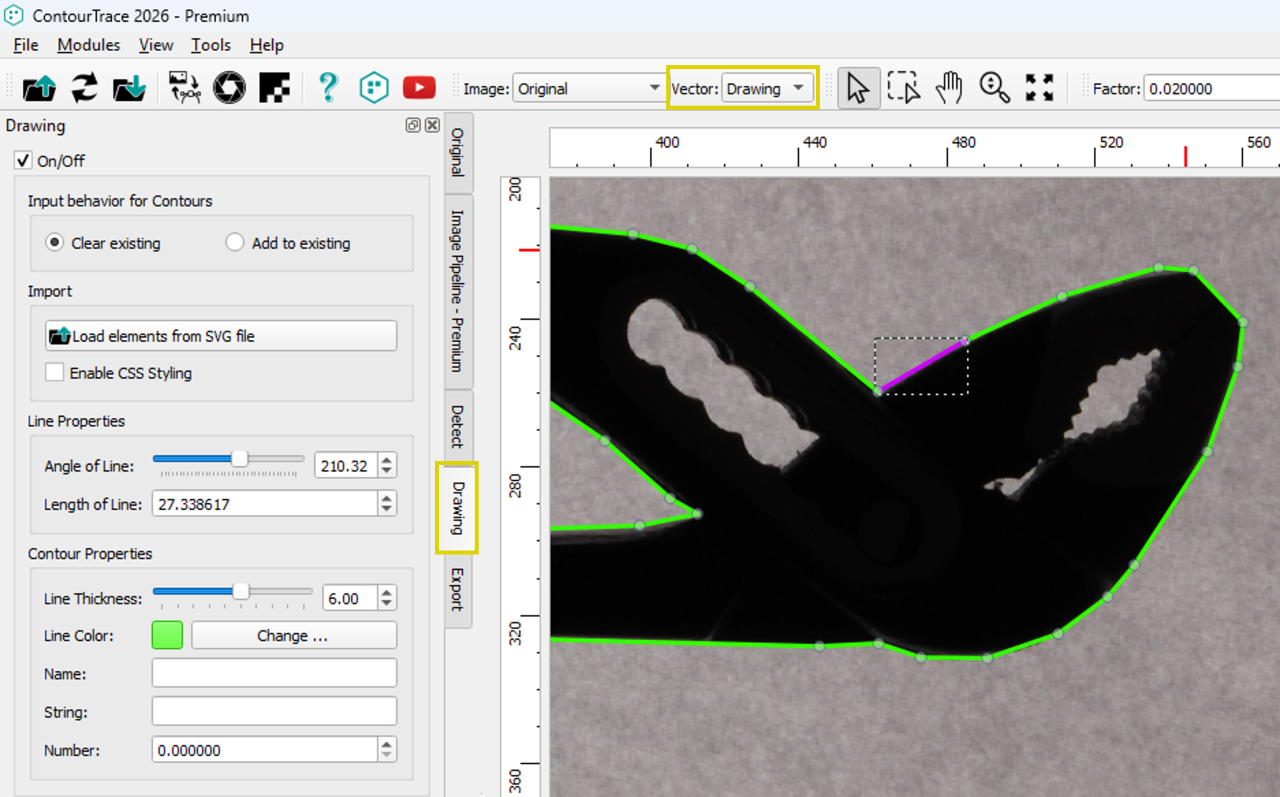
Piirustusoperaattori mahdollistaa vektorikontuurien tarkan muokkauksen ja hienosäädön suoraan ContourTrace-ohjelmassa, mikä tarjoaa tehokkaat työkalut edistyneeseen ääriviivojen muokkaukseen ja varmistaa puhtaat, tarkat ja vientikelpoiset tulokset ilman ulkoista CAD-ohjelmistoa.
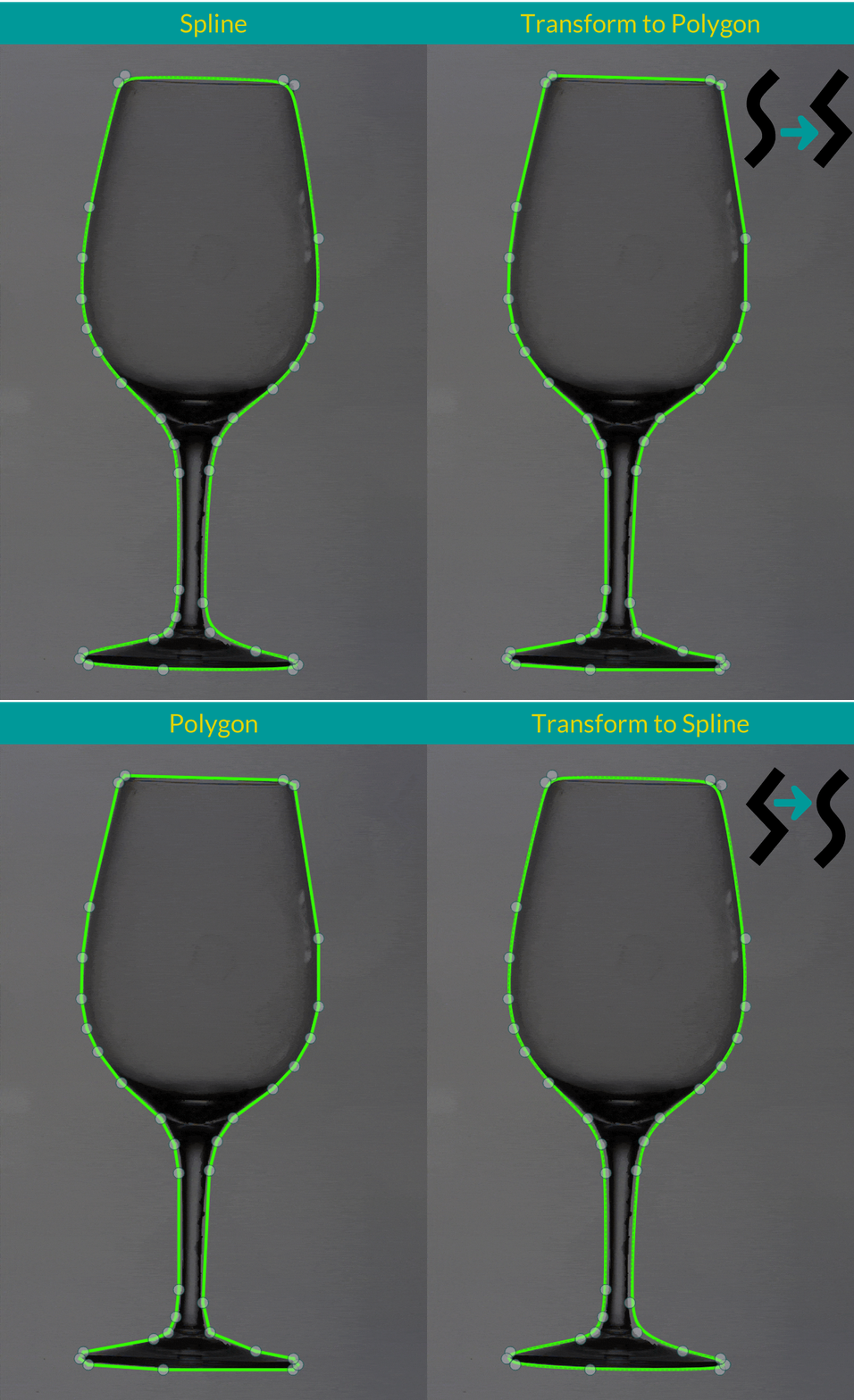
Muunna polygoniksi / splineksi
Muunna valitut ääriviivat polygonin ja splinen välillä, jolloin ääriviivojen geometriaa ja kaarevuutta voidaan hallita joustavasti sovelluksen tarpeiden mukaan.
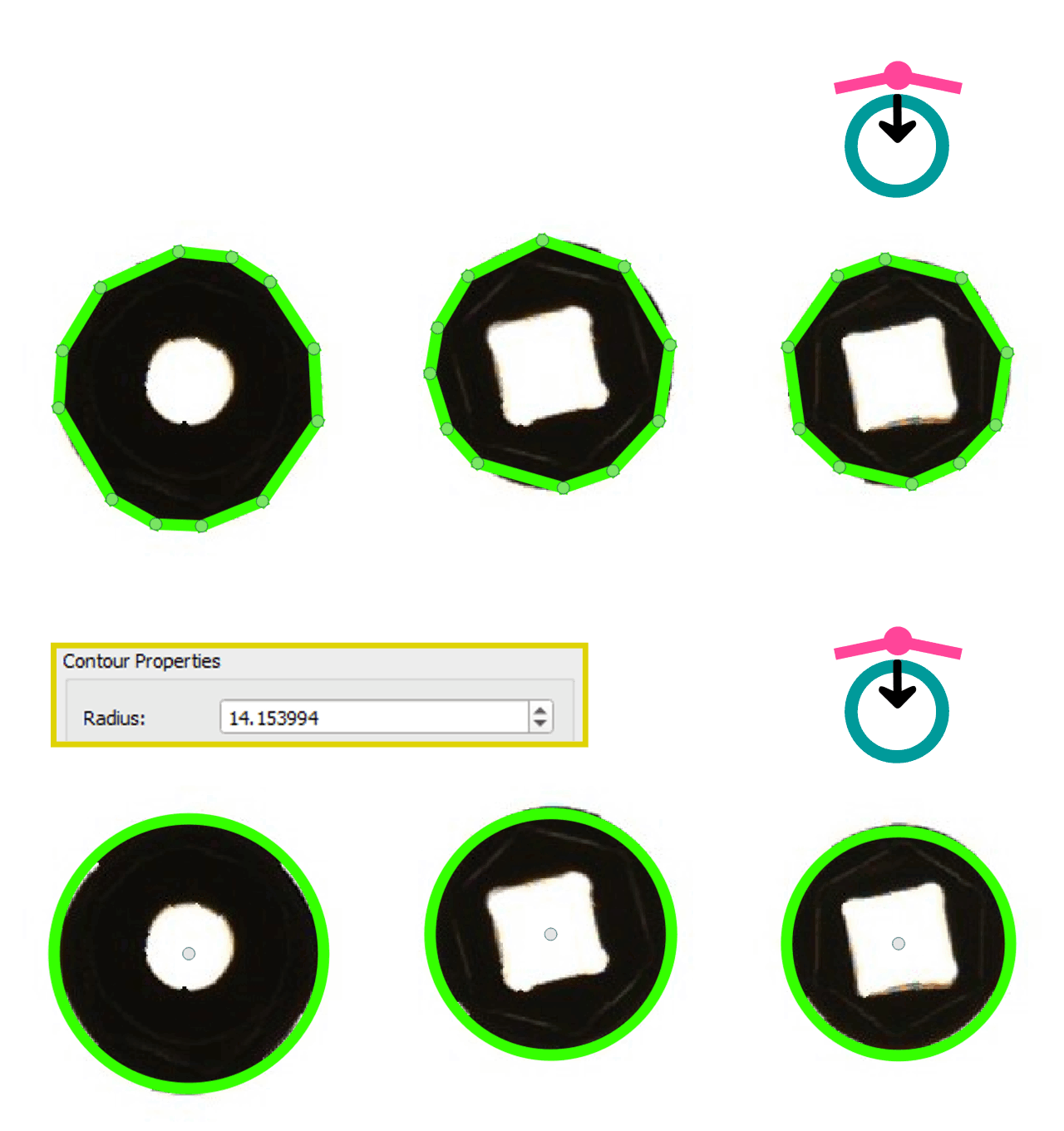
Muunna monikulmio ympyräksi
Muuntaa valitut monikulmion ääriviivat täydellisiksi ympyröiksi, jotka ovat ihanteellisia pyöreitä työkaluja ja esineitä varten ja joiden säde on säädettävissä tarkkaa hallintaa varten.
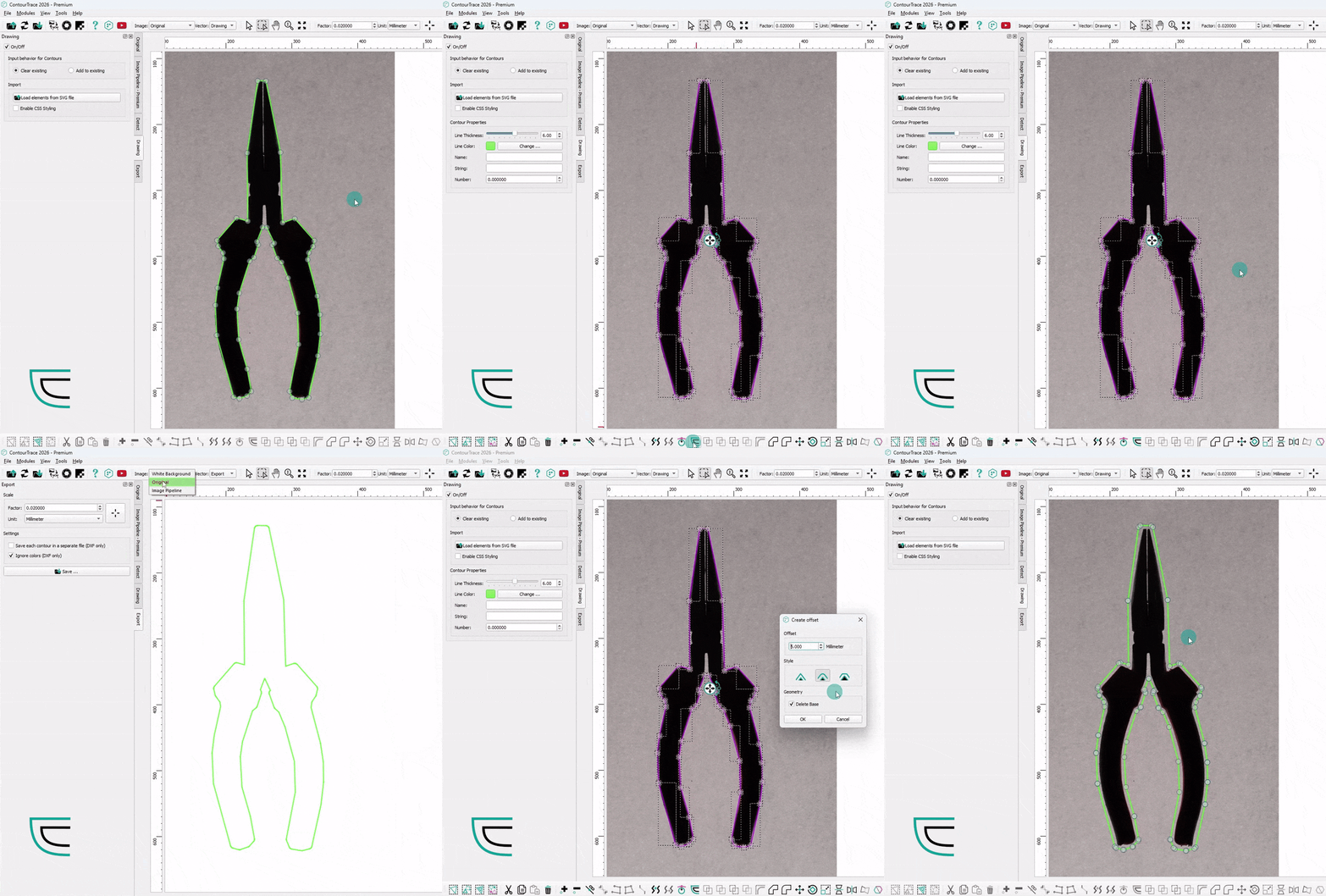
Offset ääriviivat
Tuottaa valittujen ääriviivojen siirtymät määritellyllä etäisyydellä ja kulmatyylillä, ja tukee useiden ääriviivojen samanaikaista käsittelyä.
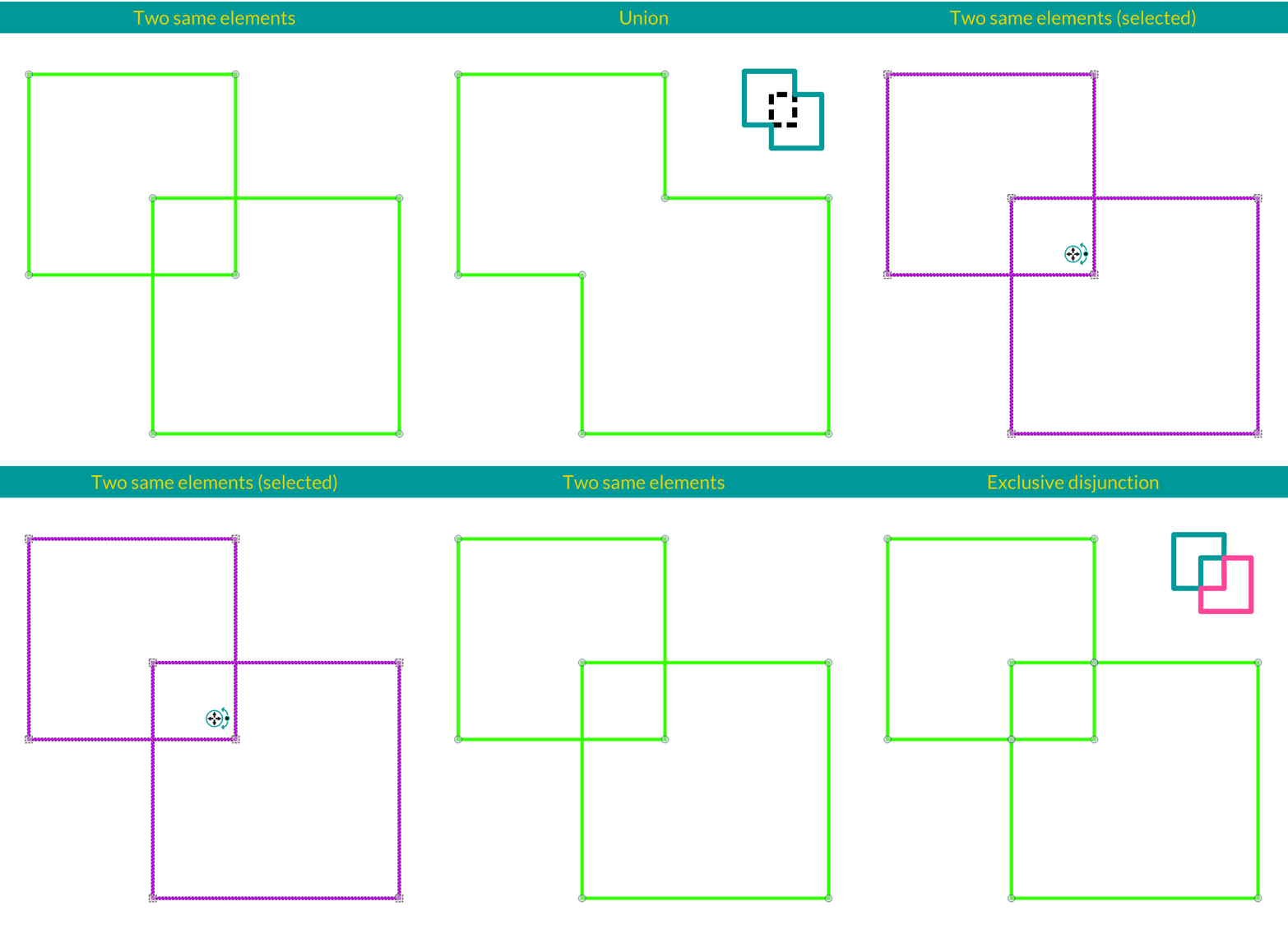
Boolen operaatioiden työkalut
Elementtien liitto: Yhdistää kaksi tai useampia päällekkäisiä ääriviivoja yhdeksi polygoniksi tai splineksi. Elementtien erotus: Vähentää valitun kohteen ääriviivat ensimmäisestä valitusta (leikattavasta) ääriviivasta ja säilyttää vain päällekkäiset alueet. Elementtien leikkaus: Luo uuden ääriviivan leikkauskontuurin ja valittujen kohteen ääriviivojen yhteisestä päällekkäisestä alueesta. Elementtien eksklusiivinen disjunktio: Luo ääriviivat alueista, jotka ovat joko leikkaus- tai aiheen ääriviivojen peitossa, päällekkäisiä alueita lukuun ottamatta.
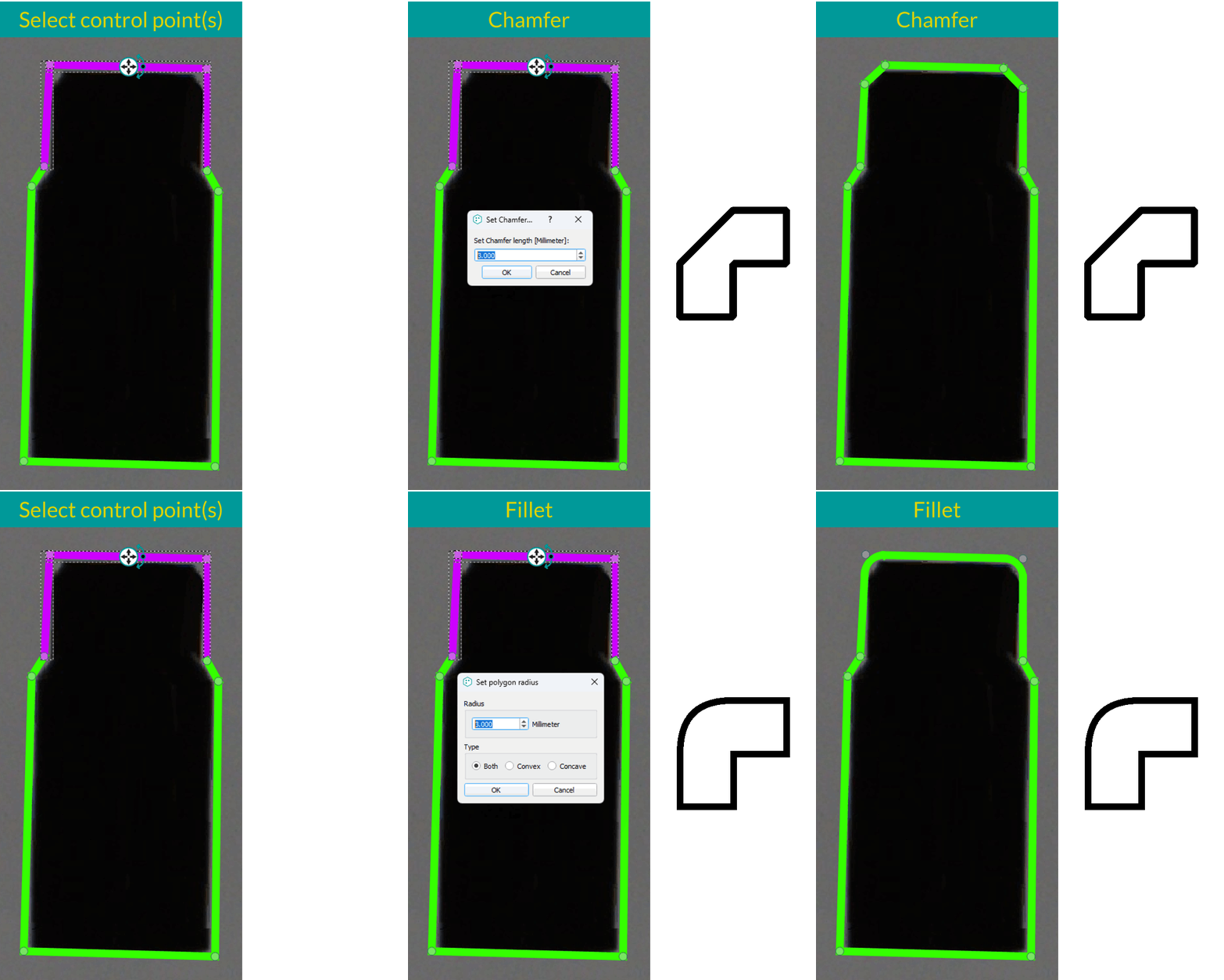
Viiste ja viiste
Sovita viisteitä, joiden pituus on määritetty, tai viiloja, joiden säde on määritetty, valittuihin pisteisiin tai viivasegmentteihin. Useita elementtejä voidaan käsitellä samanaikaisesti ääriviivojen tehokasta hienosäätöä varten.
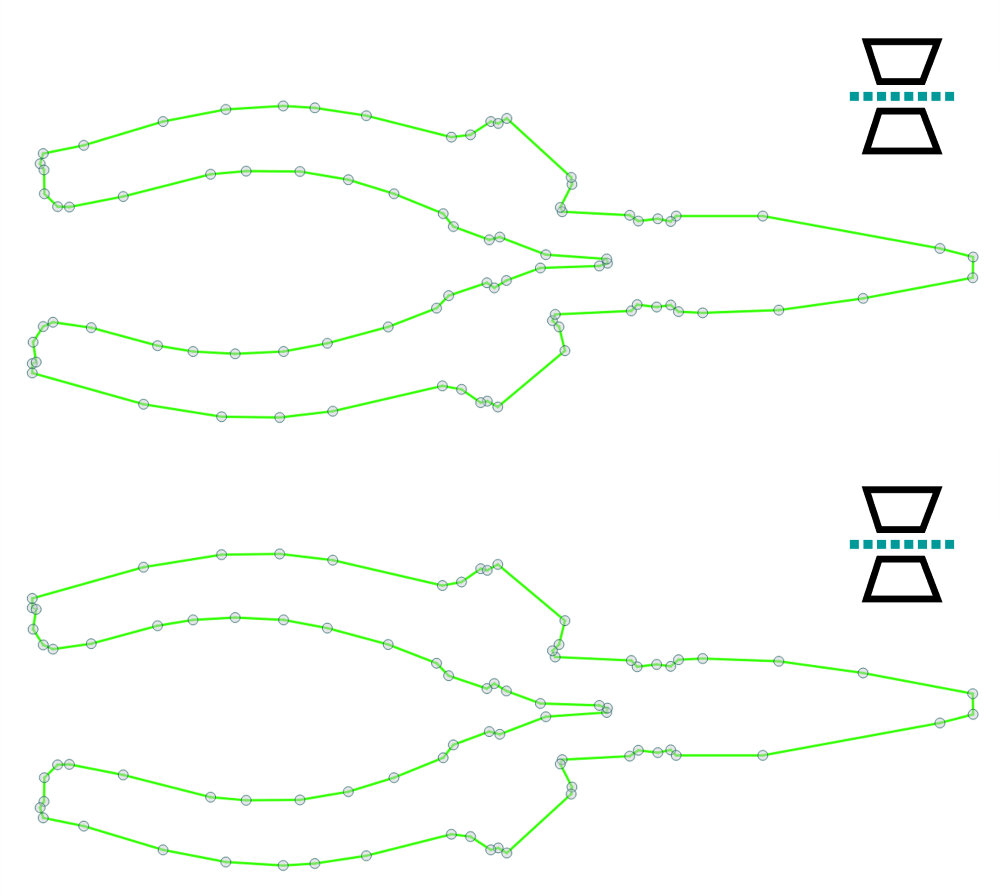
Peilin ääriviivat vaakasuunnassa
Peilaa valitut ääriviivat vaaka-akselin ympäri. Jos kyseessä on yksittäinen valinta, ääriviiva peilataan sen oman keskipisteen ympäri; jos kyseessä on useita valintoja, peilausakseli määritellään kaikkien valittujen elementtien yhdistetyn keskipisteen mukaan.
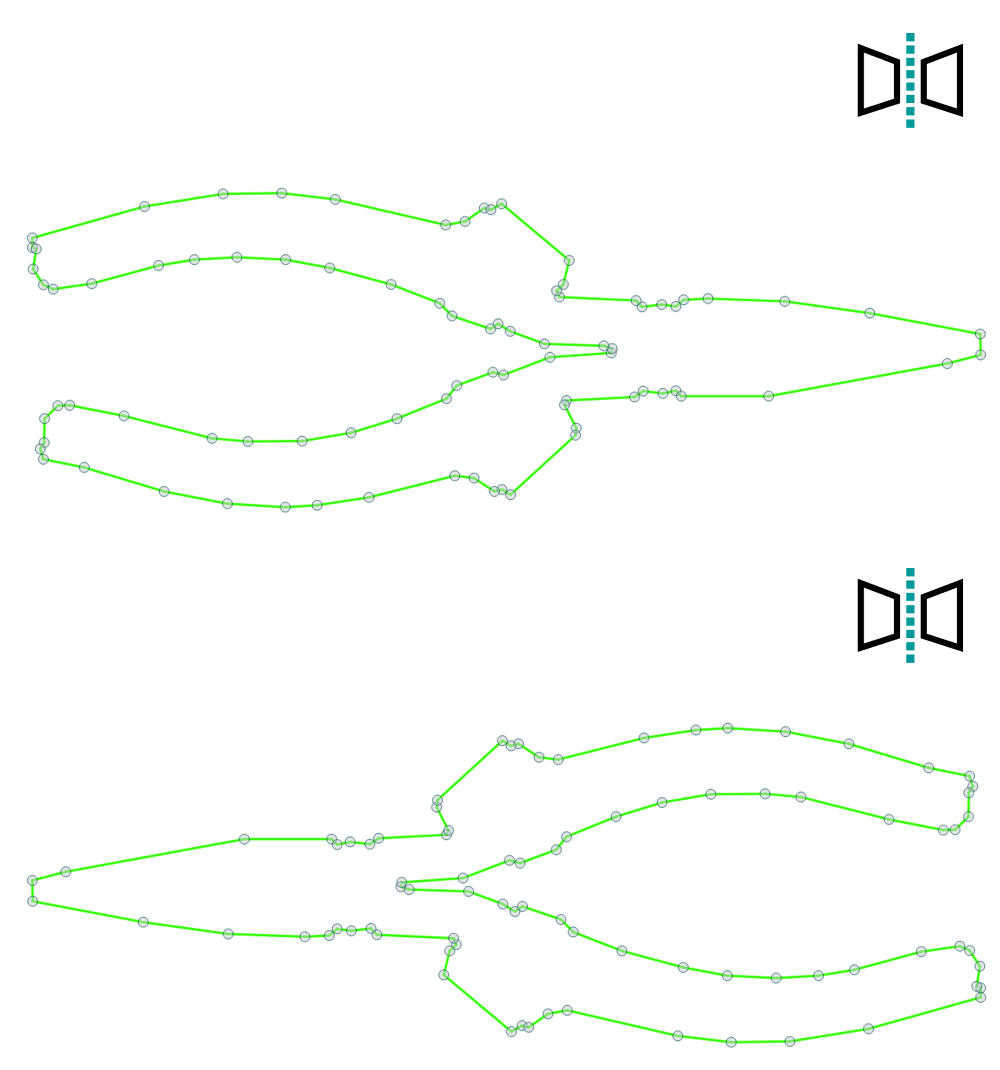
Peilin ääriviivat pystysuunnassa
Peilaa valitut ääriviivat pystyakselin ympäri. Jos kyseessä on yksittäinen valinta, ääriviiva peilataan sen oman keskipisteen ympäri; jos kyseessä on useita valintoja, peilausakseli määritellään kaikkien valittujen elementtien yhdistetyn keskipisteen mukaan.
Peilaa ääriviivat valitun viivan ympärille
Peilaa valittua ääriviivaa käyttämällä peiliakselina valittua linjaa ja heijastaa ääriviivapisteet kyseisen linjan ympäri.
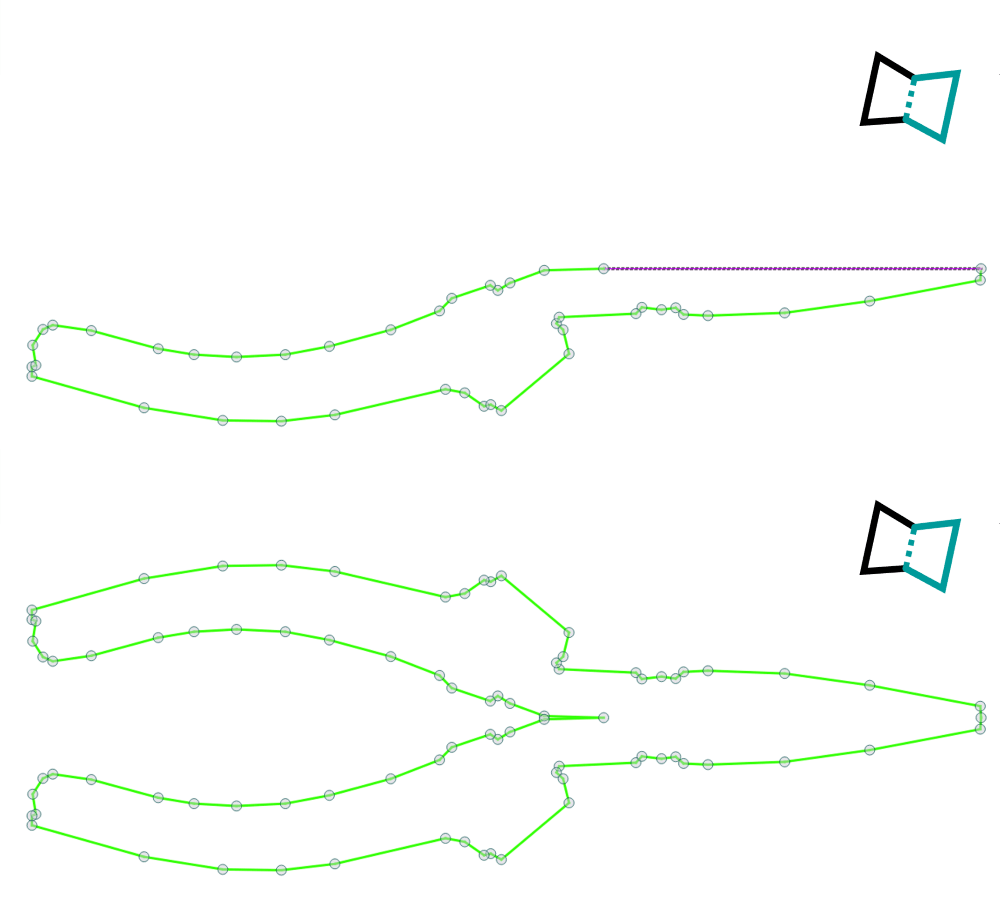
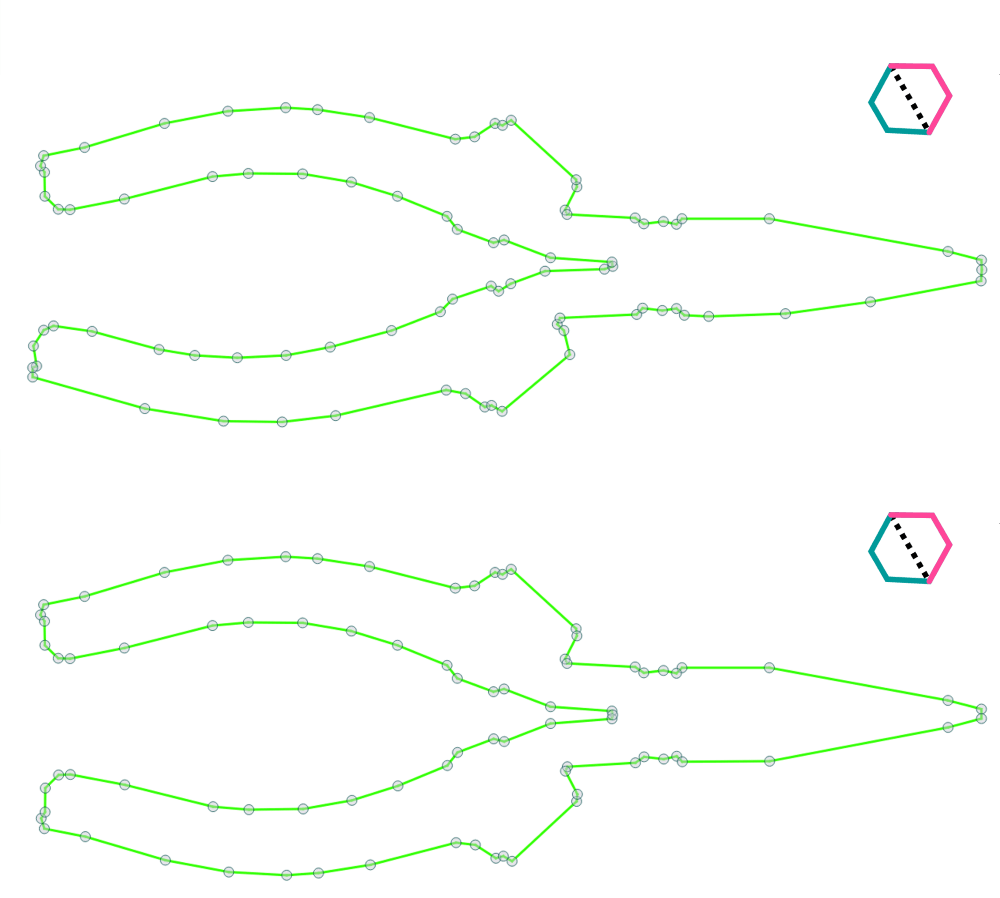
Luo symmetrisiä ääriviivoja
Tekee valitusta polygonista tai spline-kontuurielementistä symmetrisen.
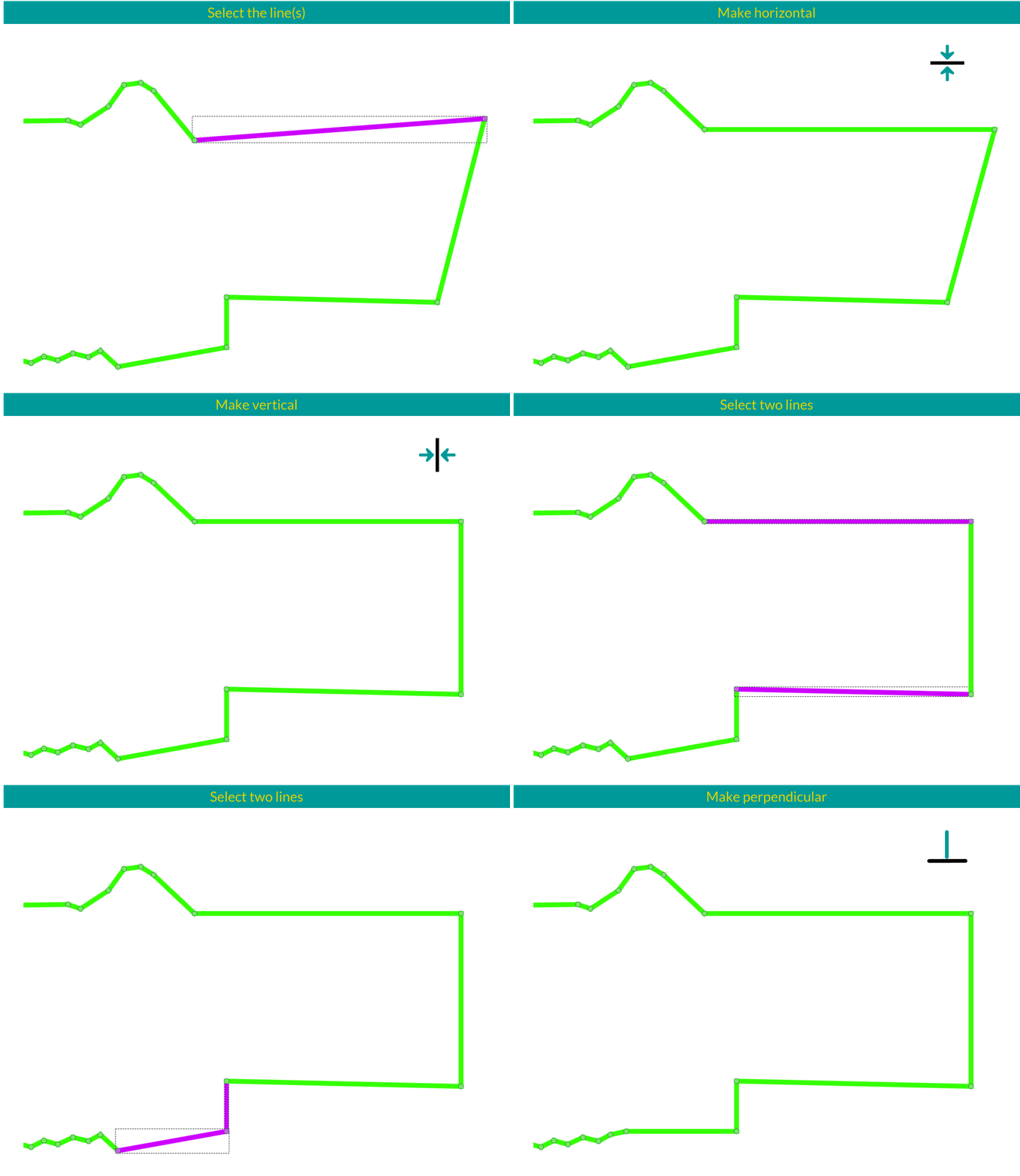
Linjojen kohdistustyökalut
Kohdista vaakatasoon: Kohdistaa valitut pisteet vaakasuoraa viivaa pitkin, joka on keskitetty valinnan korkeimman ja matalimman pisteen väliin. Kohdista pystysuoraan: Kohdistaa valitut pisteet pystysuoraa viivaa pitkin, joka on keskitetty valinnan vasemmanpuoleisimman ja oikeanpuoleisimman pisteen väliin. Kohdista rinnakkain: Kohdistaa toisen valitun ääriviivan ensimmäisen valitun viivan suuntaisesti. Kohdista kohtisuoraan: Kohdistaa toisen valitun ääriviivan kohtisuoraan ensimmäistä valittua viivaa vastaan.
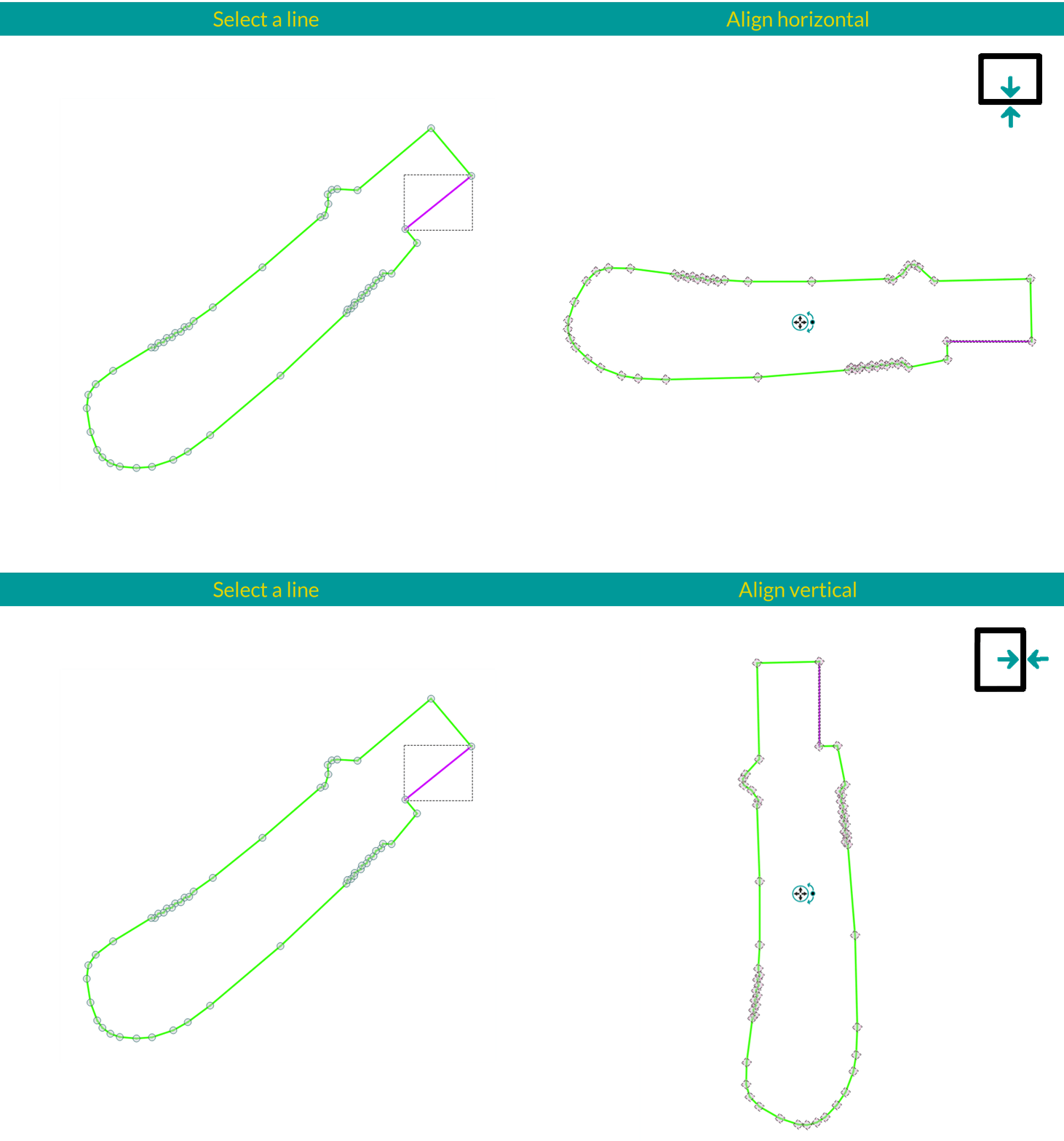
Kohdistustyökalut elementtiä varten
Kohdista elementti vaakasuoraan: Kääntää valitun elementin niin, että valitusta rivistä tulee vaakasuora. Kohdista elementti pystysuoraan: Kääntää valitun elementin niin, että valitusta viivasta tulee pystysuora.
Piirrä suorakulmaisia monikulmioita
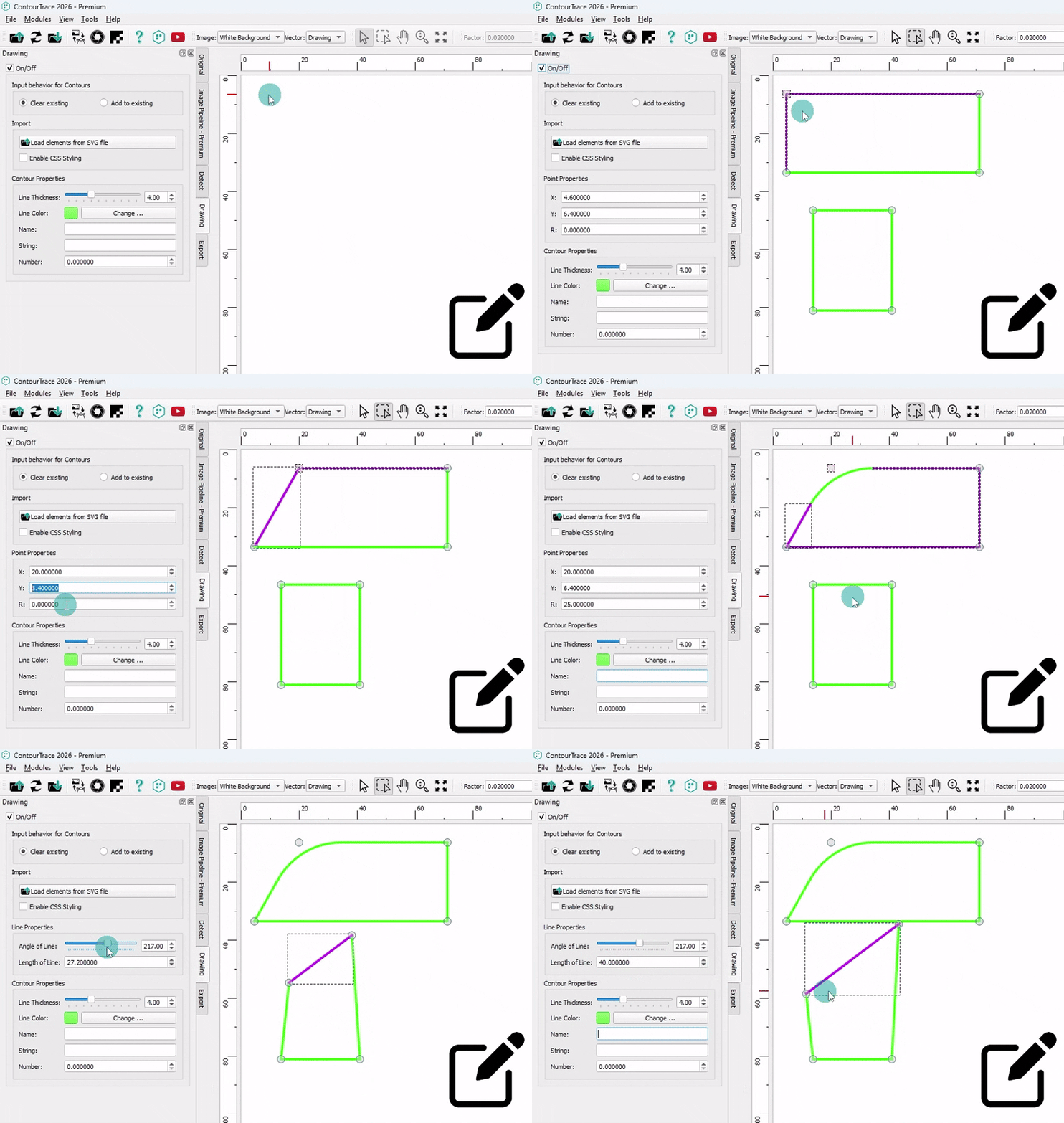
Luo suorakulmaisia monikulmion muotoisia ääriviivoja suoraan ContourTrace-ohjelmassa, jossa on täysi muodon muokkaus - säädä pisteiden sijainteja, viivojen pituuksia ja kulmia sekä lisää tarvittaessa viiloja.
Piirrä ympyrät
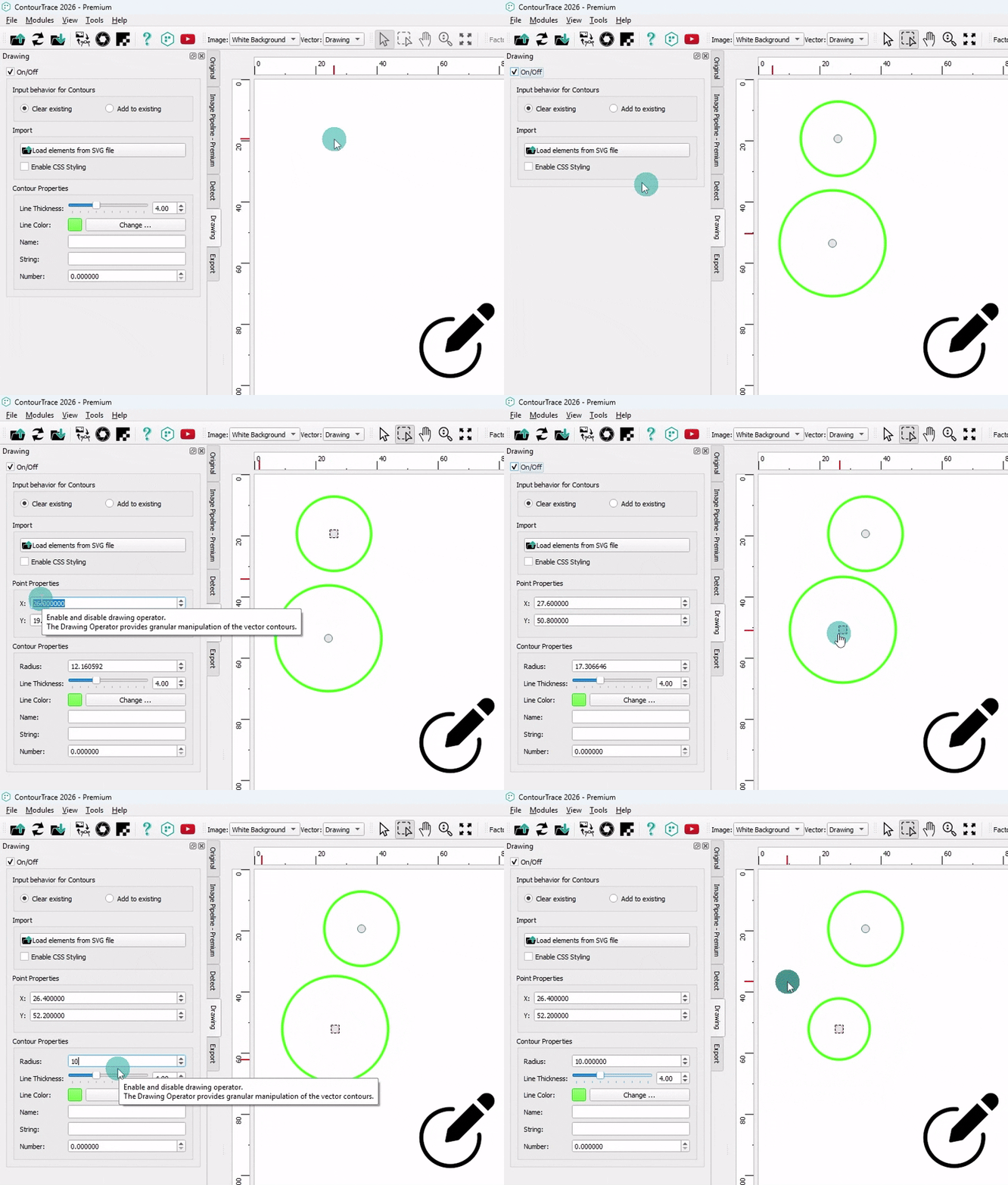
Luo ympyränmuotoisia ääriviivoja suoraan ContourTrace-ohjelmassa, ja voit hallita sädettä ja sijaintia täysin.
Piirrä avoimet monikulmiot
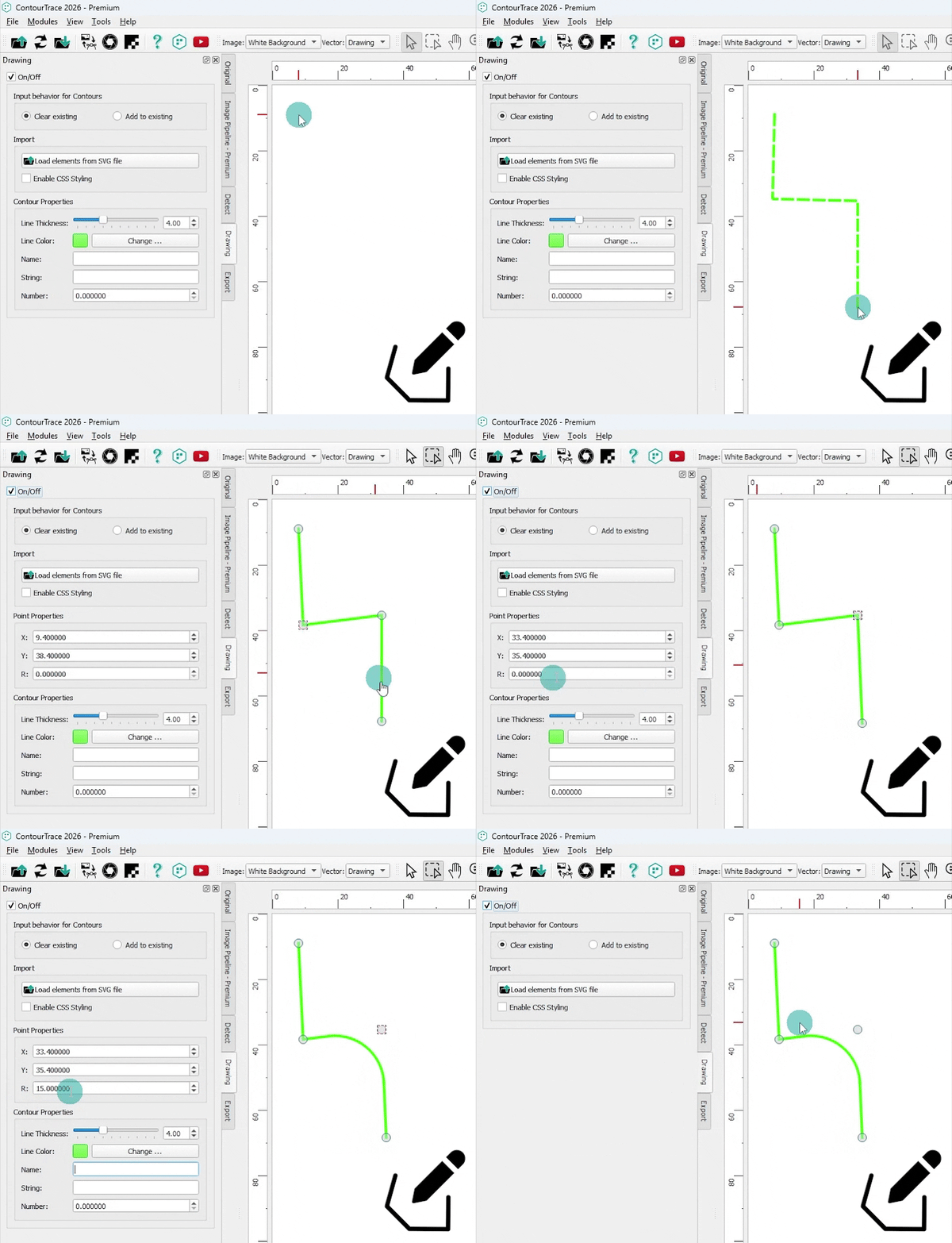
Luo avoimia polygonikontuureja suoraan ContourTrace-ohjelmassa, jossa on täysi muodon muokkaus - säädä pisteiden sijainteja, viivojen pituuksia ja kulmia sekä lisää tarvittaessa viiloja.
Vientioperaattori
Vientioperaattori hallitsee grafiikan tallentamista ja vientiä ContourTrace-ohjelmasta ja tukee useita tulostusformaatteja kuvia, vektoridataa ja CAD-työnkulkuja varten. Kuvaformaatit: JPG, JPEG, PNG, BMP. Vektoriformaatit: DXF, SVG Makroformaatti: FreeCAD-makro (FCMacro)
Vie ääriviivat FreeCAD-makroina
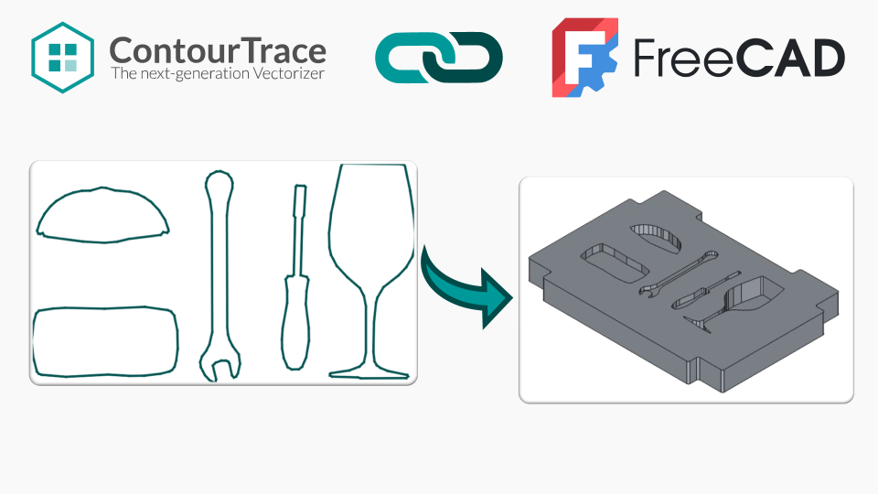
Vie ääriviivat ContourTrace-ohjelmasta FreeCAD-makroina, jotka voidaan ladata ja suorittaa FreeCAD-ohjelmassa 3D-mallien luomiseksi automaattisesti poimituista ääriviivoista.
Metatiedot DXF-viennin yhteydessä
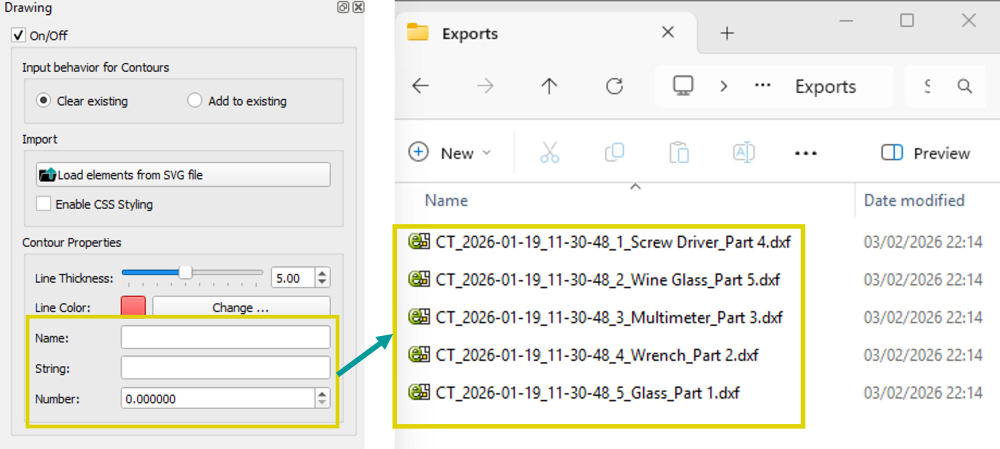
Määritä jokaiselle ääriviivalle nimi, syvyys ja mukautetut metatiedot ja vie ne DXF-tiedostoina. Kontuurit voidaan tallentaa erillisinä tiedostoina ja niihin liittyvine metatietoineen, mikä mahdollistaa sujuvammat CAD-työnkulut ja luotettavan integroinnin jatkojalostustyökalujen, kuten FreeCAD-makrojen, kanssa.
Vie metatiedot FreeCAD-makroilla
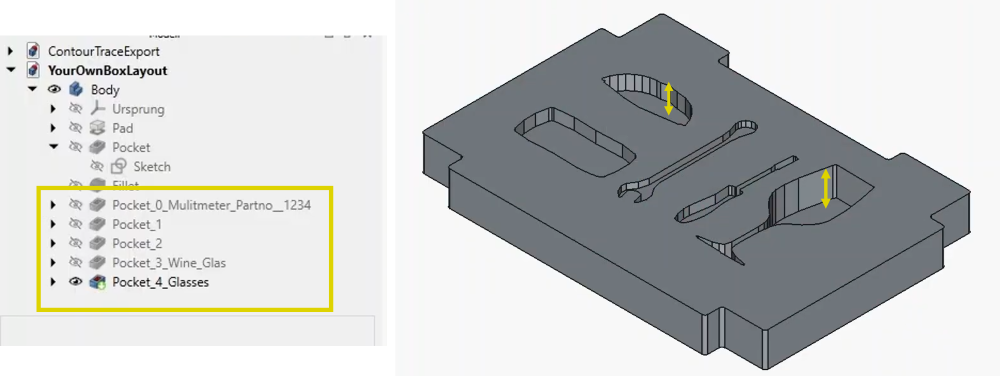
Vie ääriviivojen metatiedot suoraan FreeCADiin, jolloin ääriviivojen nimet ja merkkijonot näkyvät Feature-puussa. Määritetyt syvyysarvot otetaan käyttöön automaattisesti, mikä mahdollistaa tarkat ja johdonmukaiset 3D-toiminnot määritettyjen metatietojen perusteella.
Lisämoduulit
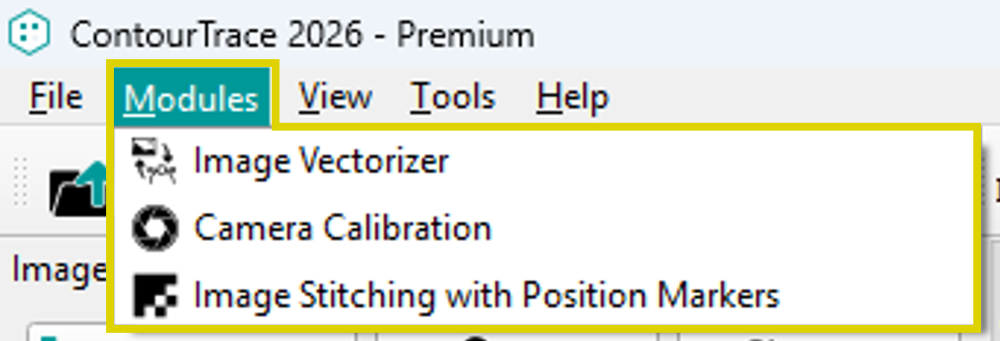
Moduulit määrittelevät lisätoiminnallisuuksia, jotka eivät ole luonnollinen osa itse työnkulkua, kuten operaattorit. Ne tarjoavat muita asetuksia grafiikan käsittelyn tarkkuuden lisäämiseksi.
Kameran kalibrointi
Jotta omista kuvatallenteista saataisiin mahdollisimman tarkat ääriviivat, käytettävä digitaalikamera voidaan kalibroida. Tämä voi vähentää merkittävästi kuvan tangentiaalista ja radiaalista vääristymää. Näin ContourTrace-ohjelmalla saadaan tuotantoa vastaavat ääriviivat.
Kuvan ompelu sijaintimerkkien avulla
Kuvan ompelemista sijaintimerkkien avulla voidaan käyttää kuvan perspektiivivääristymien korjaamiseen tai vähentämiseen huomattavasti. Näin minimoidaan perspektiivivääristymästä johtuvat virheet ääriviivojen muodoissa.
Käyttötapaukset ja kuvakaappaukset
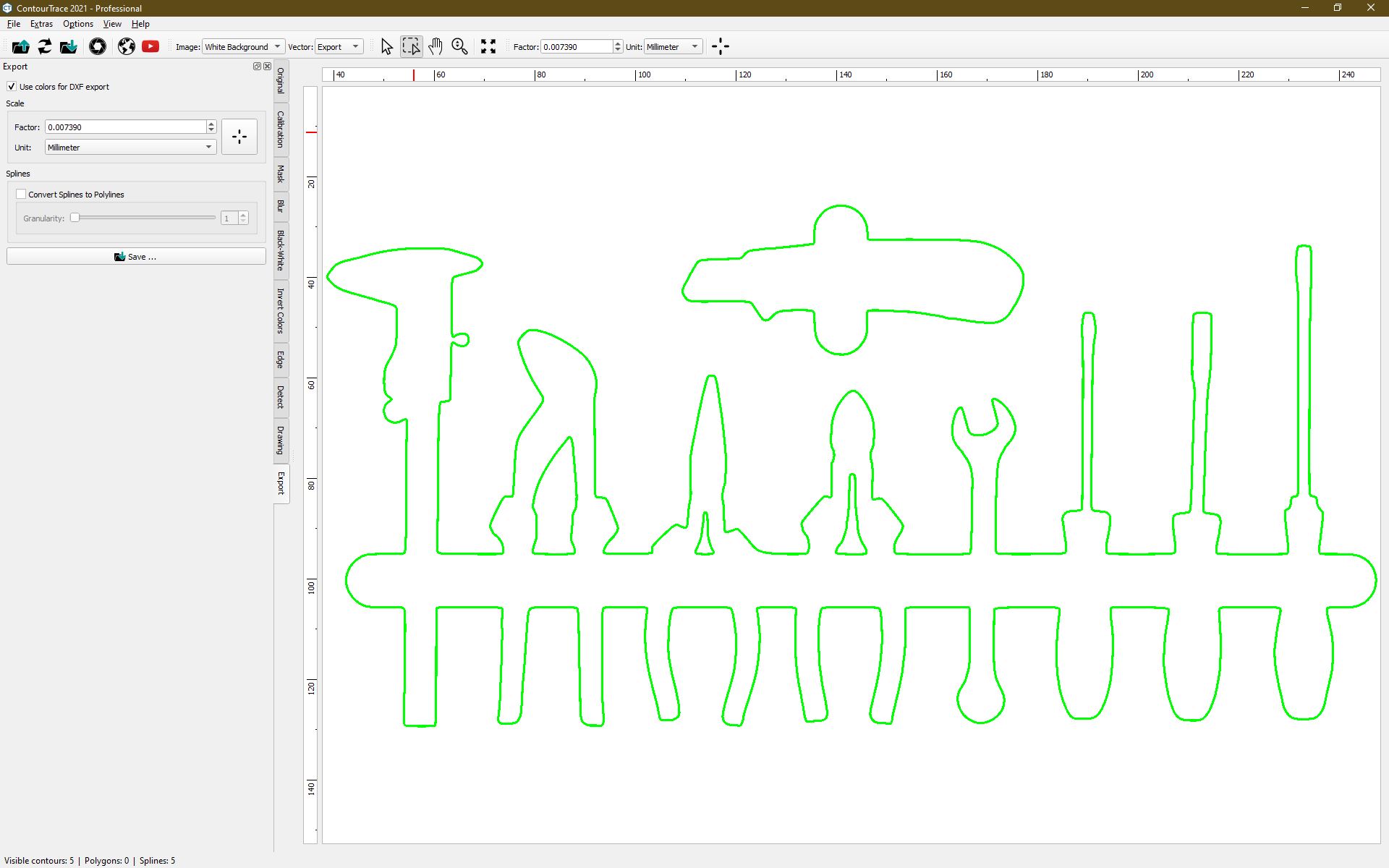
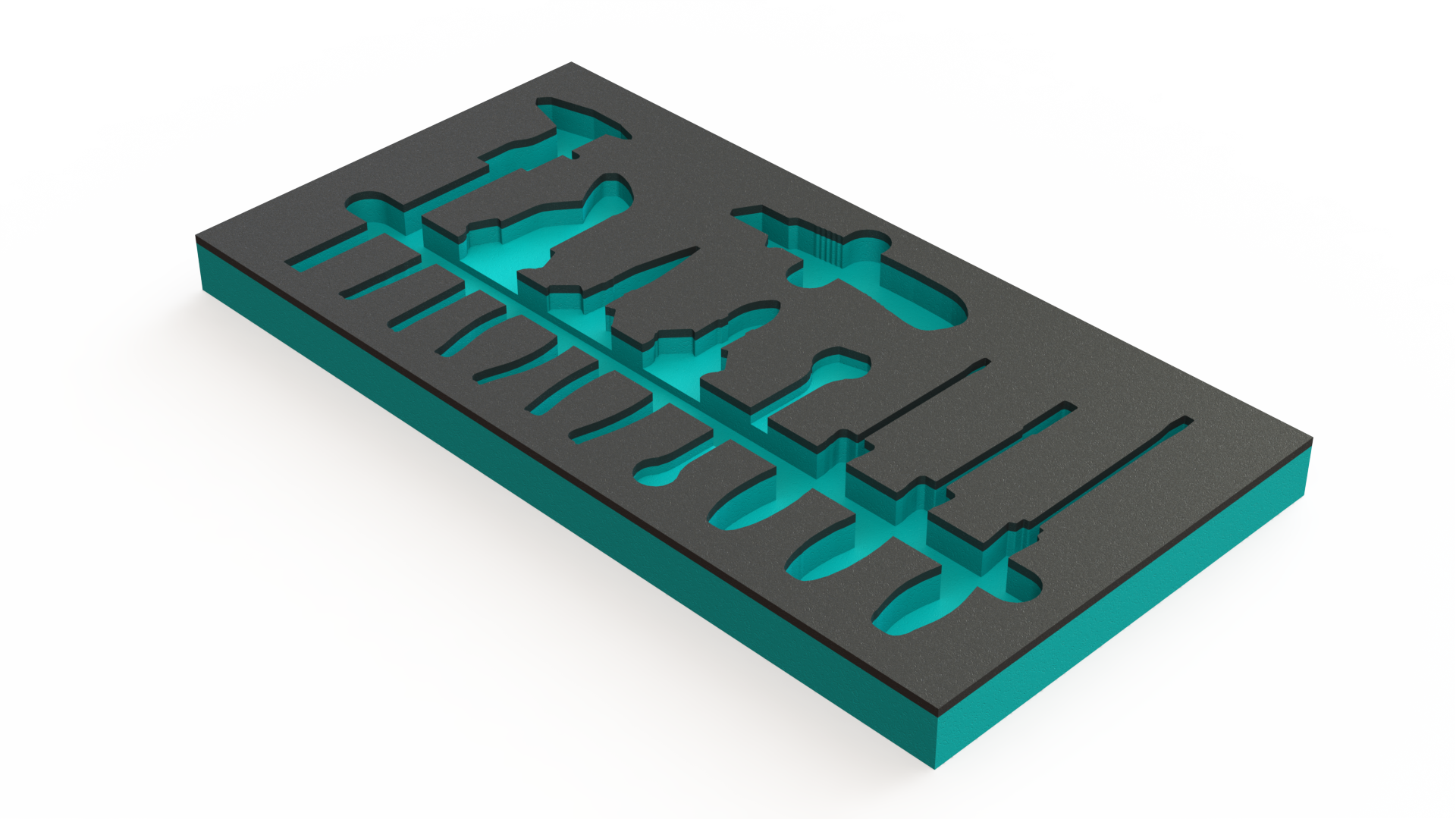
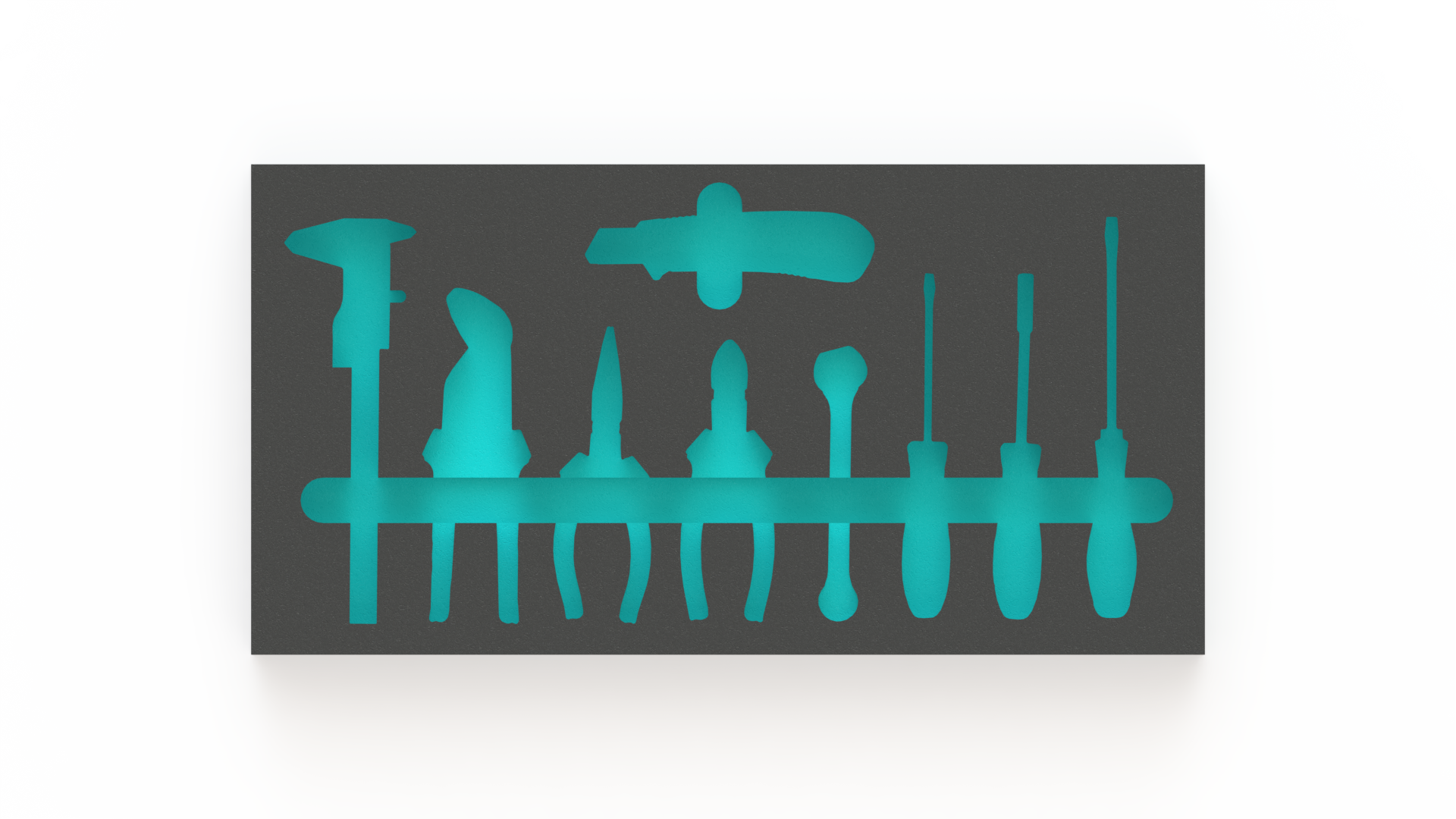
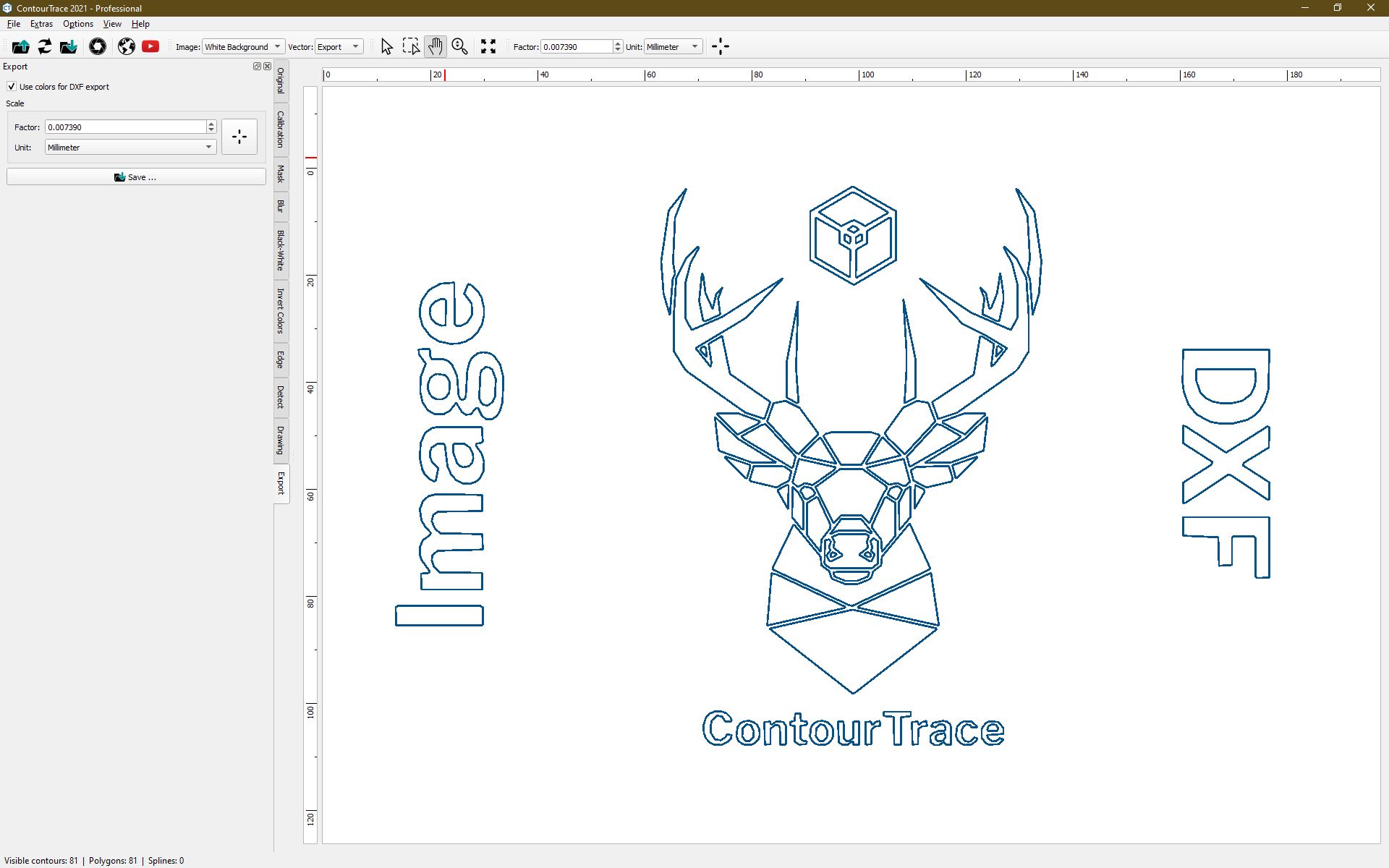
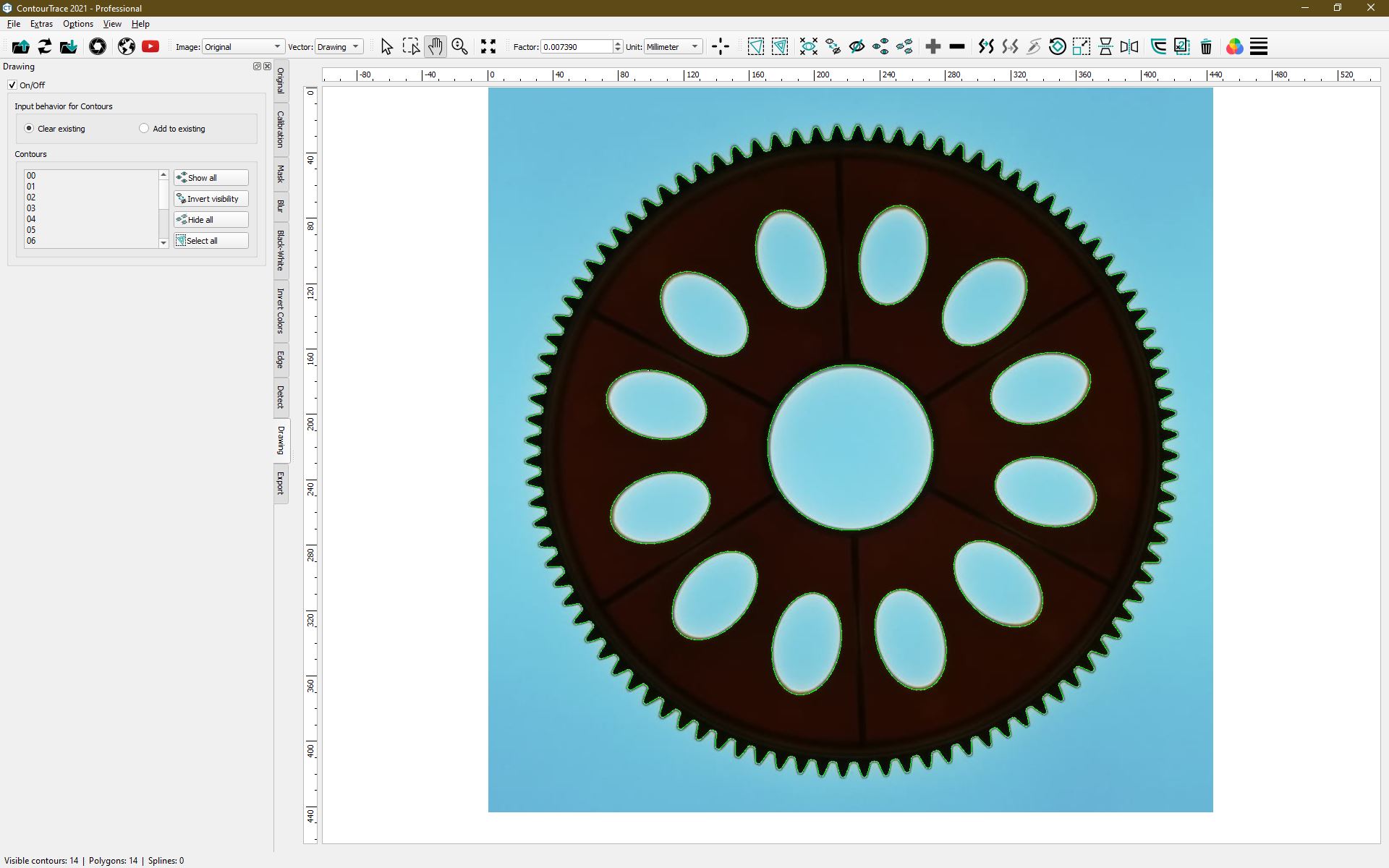
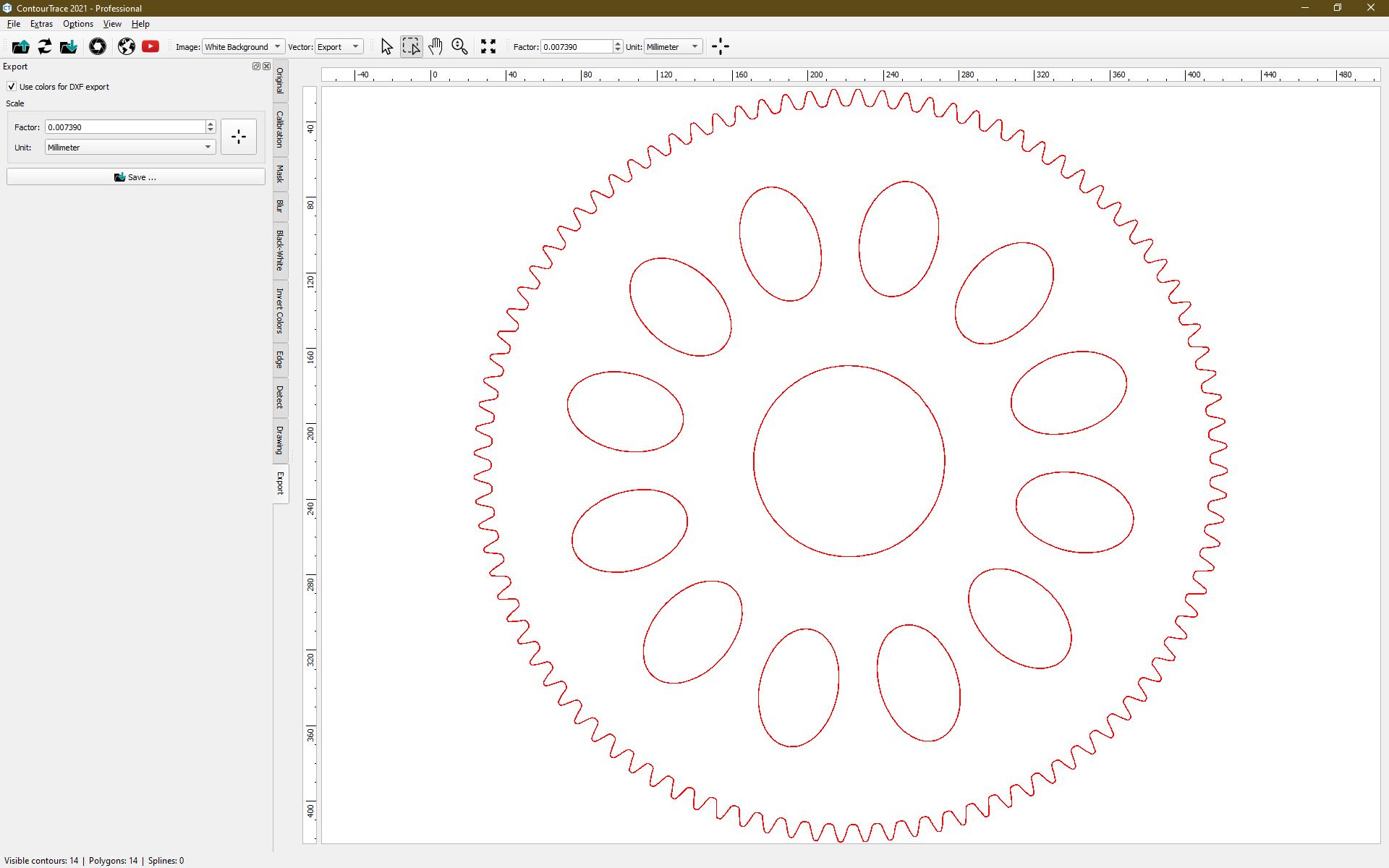
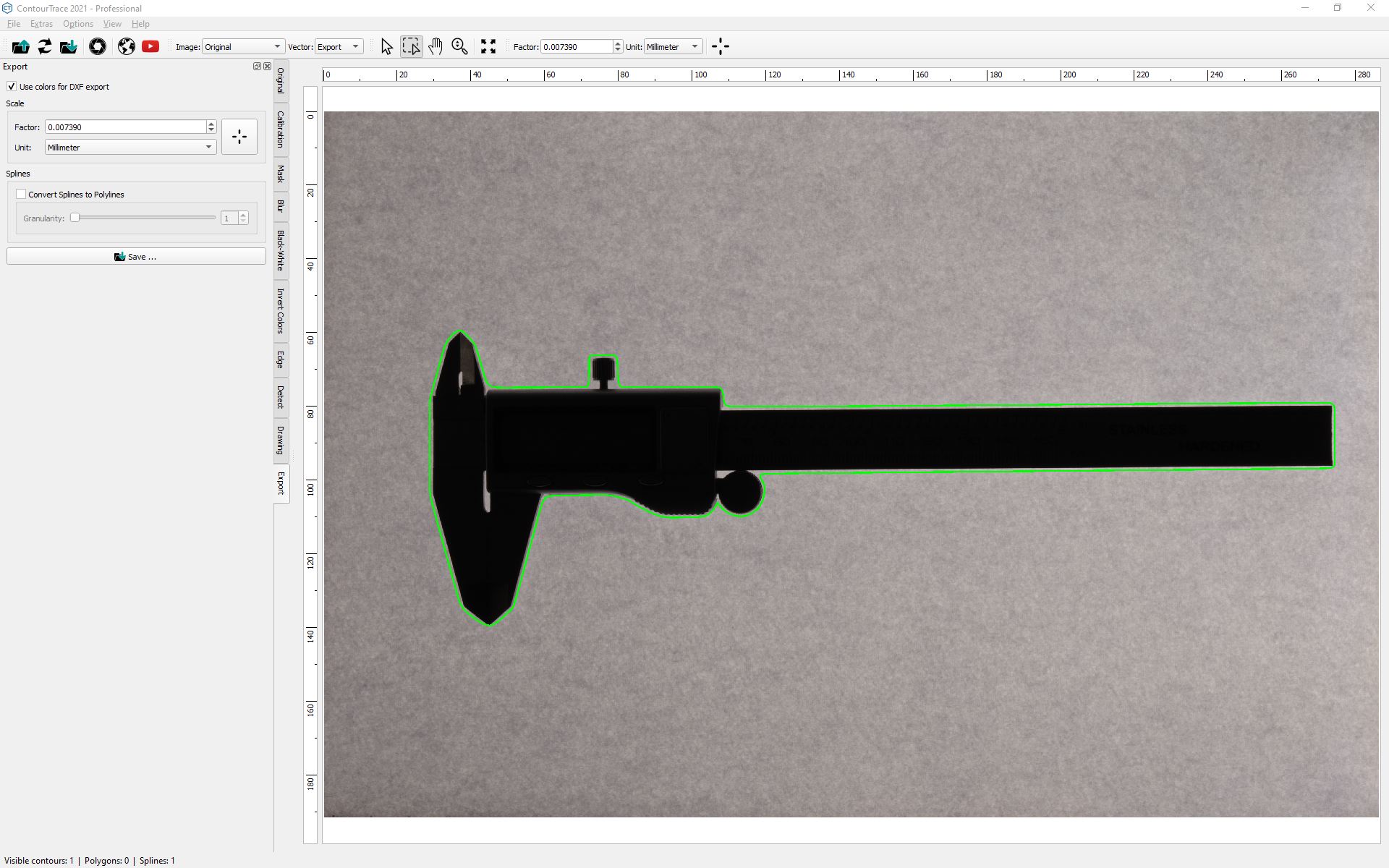
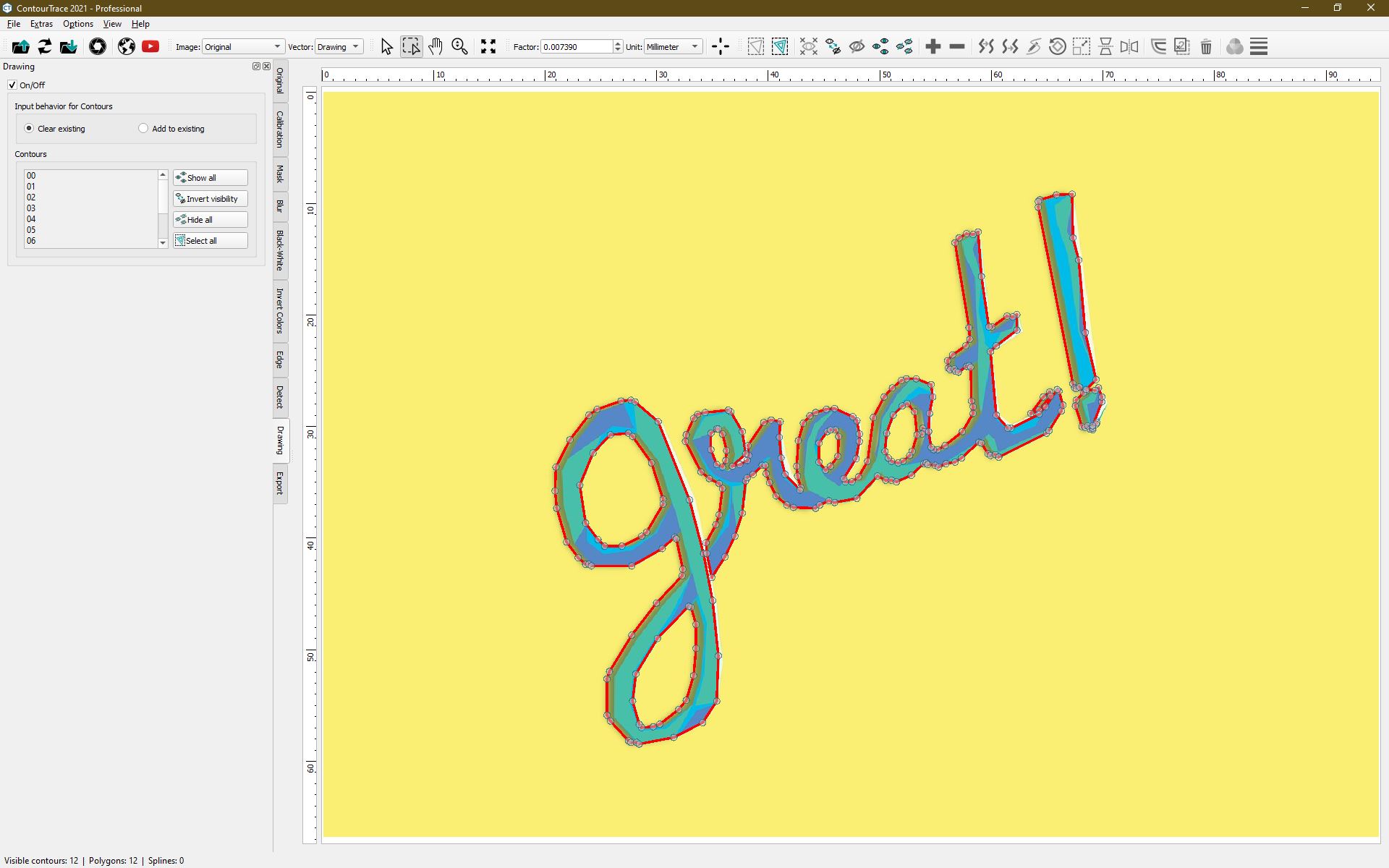
Joitakin ContourTracen monista sovelluksista. Jopa vaikeat teolliset tehtävät onnistuvat täydellisesti.
Haluaisitko nähdä lisää?
Ota meihin yhteyttä ja pyydä maksutonta ja ilmaista live-esittelyä verkossa.

 Finnish
  English
  Bulgarian
  Chinese
  Czech
Czech  Danish
  Dutch
Dutch  Estonian
  French
  German
  Greek
Greek  Hungarian
  Indonesian
  Italian
  Japanese
  Lithuanian
  Latvian
  Polish
  Portuguese
  Romanian
  Russian
  Slovak
  Slovenian
  Spanish
  Swedish
  Turkish
  Ukrainian